
 1:27
1:27 Getting started
Get Ask AI to do a task for you
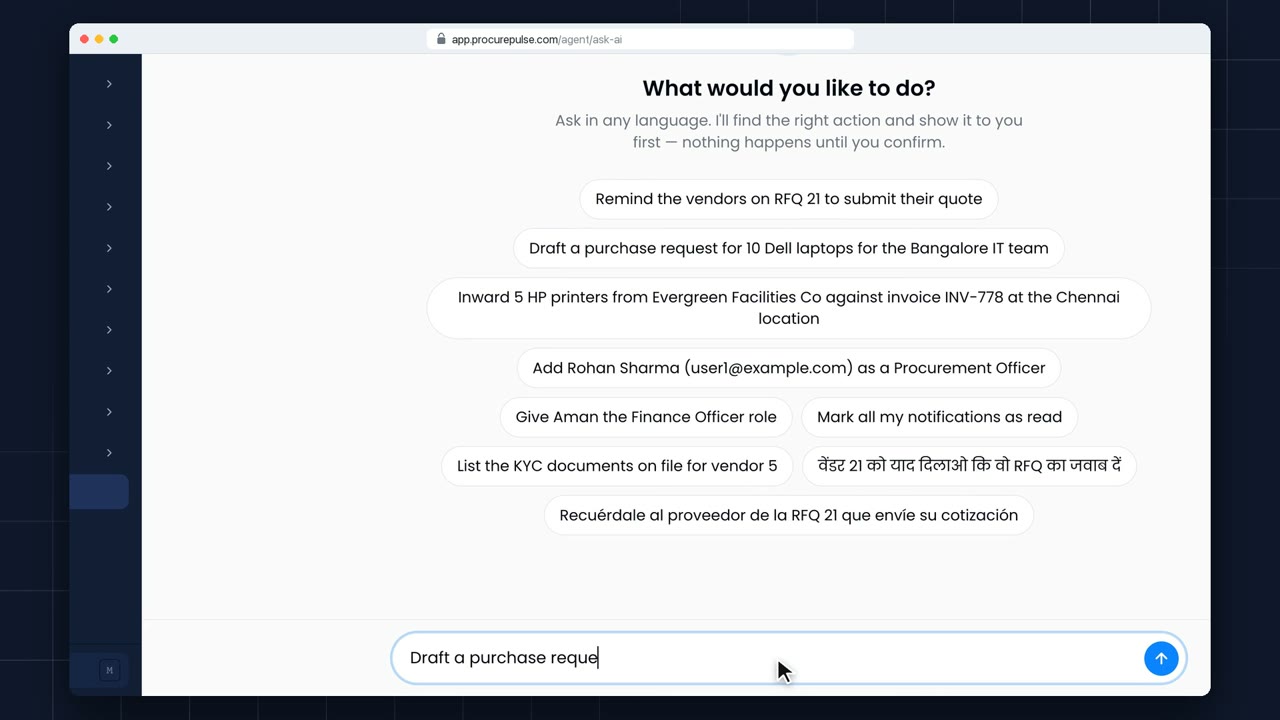
Ask AI does real work for you, in plain words. Type what you need: here, a purchase request for ten laptops.
Real screens, no slides. Each video shows one task, start to finish, in about two minutes. Captions are a click away: press CC in the player.
Ask in plain words, or drop a contract or an invoice: AI does the typing and you confirm. Nothing is created until you say so.
1:27 Getting started
Ask AI does real work for you, in plain words. Type what you need: here, a purchase request for ten laptops.
 2:19
2:19 Ask AI
Type “10 Dell laptops for the IT team”. Ask AI drafts the purchase request from your own catalogue, prices and locations. Nothing is created until you confirm.
 0:53
0:53 Invoices
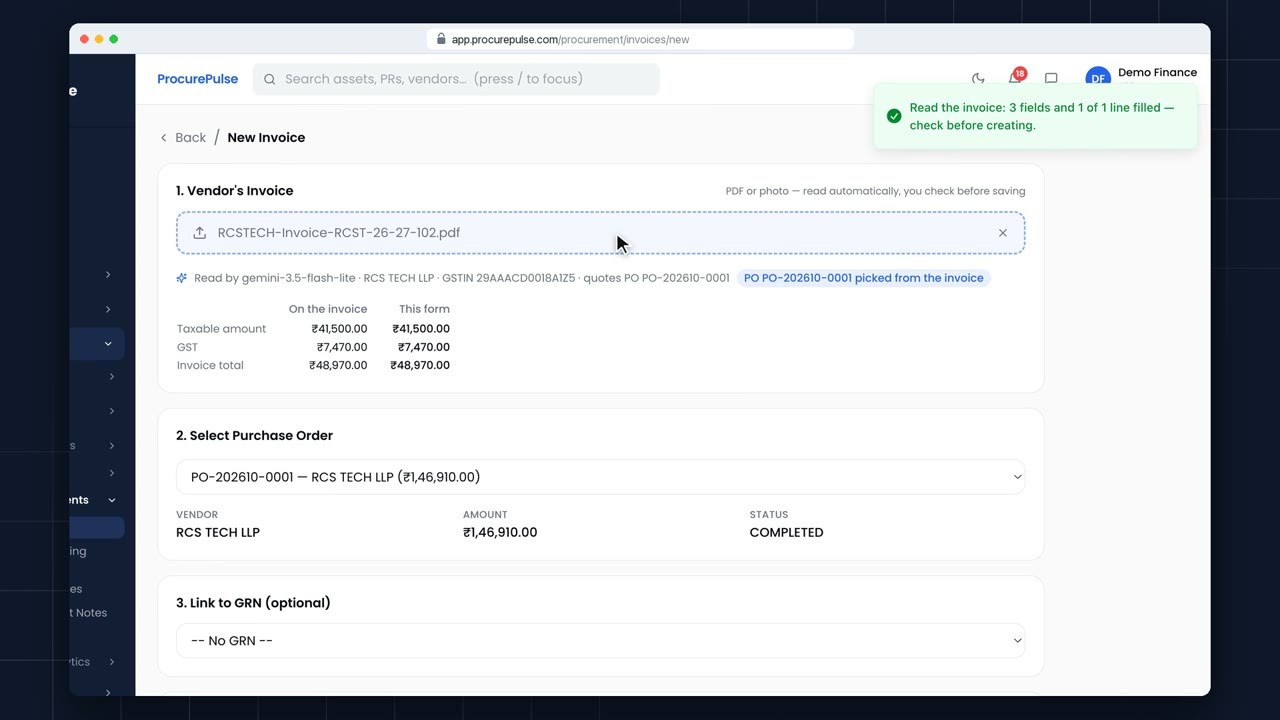
When a vendor emails you an invoice, open Invoices, and click New Invoice.
 0:56
0:56 Invoices
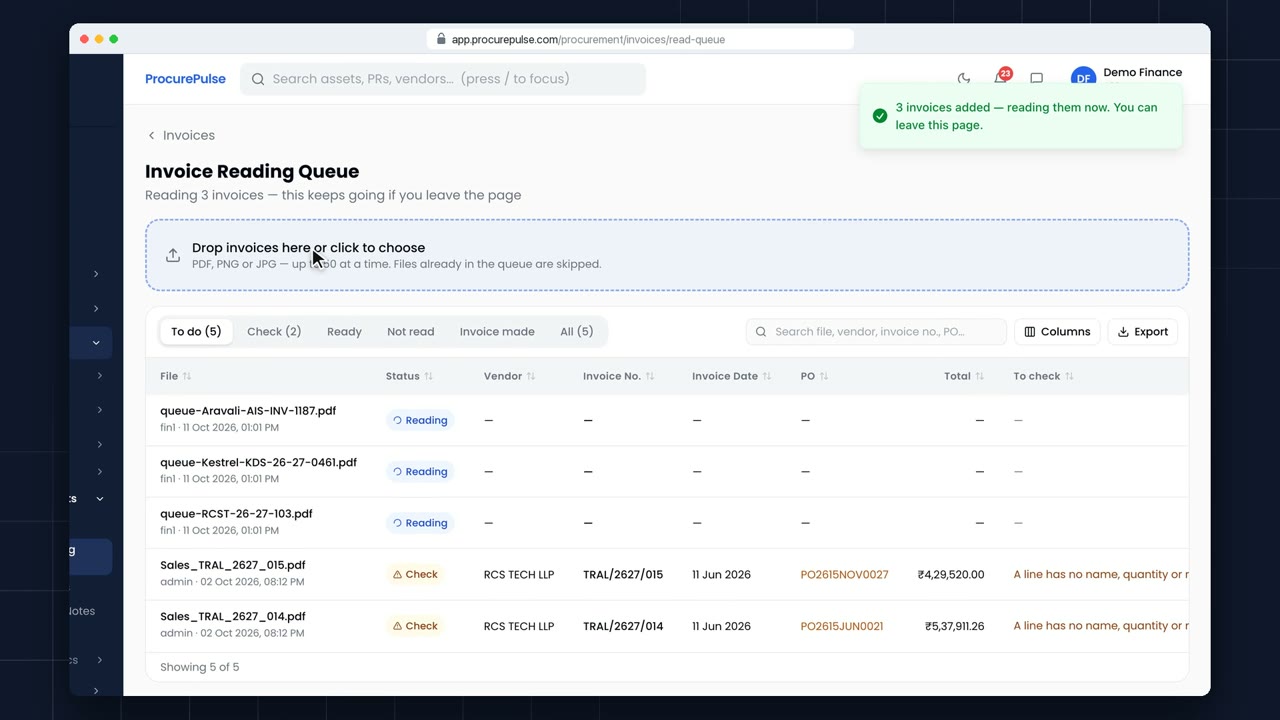
Month end, and a pile of vendor invoices? Open the Invoice Reading Queue, under Billing and Payments.
 2:14
2:14 Contract AI
Contract AI reads the vendor’s PDF and pre-fills vendor, dates, value, payment terms and schedules, each tagged with the page it came from.
 1:39
1:39 Amendment AI
Amendment AI reads the vendor’s addendum against the original contract and lists every change: term, value and clauses.
 1:58
1:58 Invoice to Assets
Attach the invoice: the goods receipt fills itself, each item gets an asset category, and every unit becomes an asset with its serial number, ready for QR tags.
 1:01
1:01 Getting started
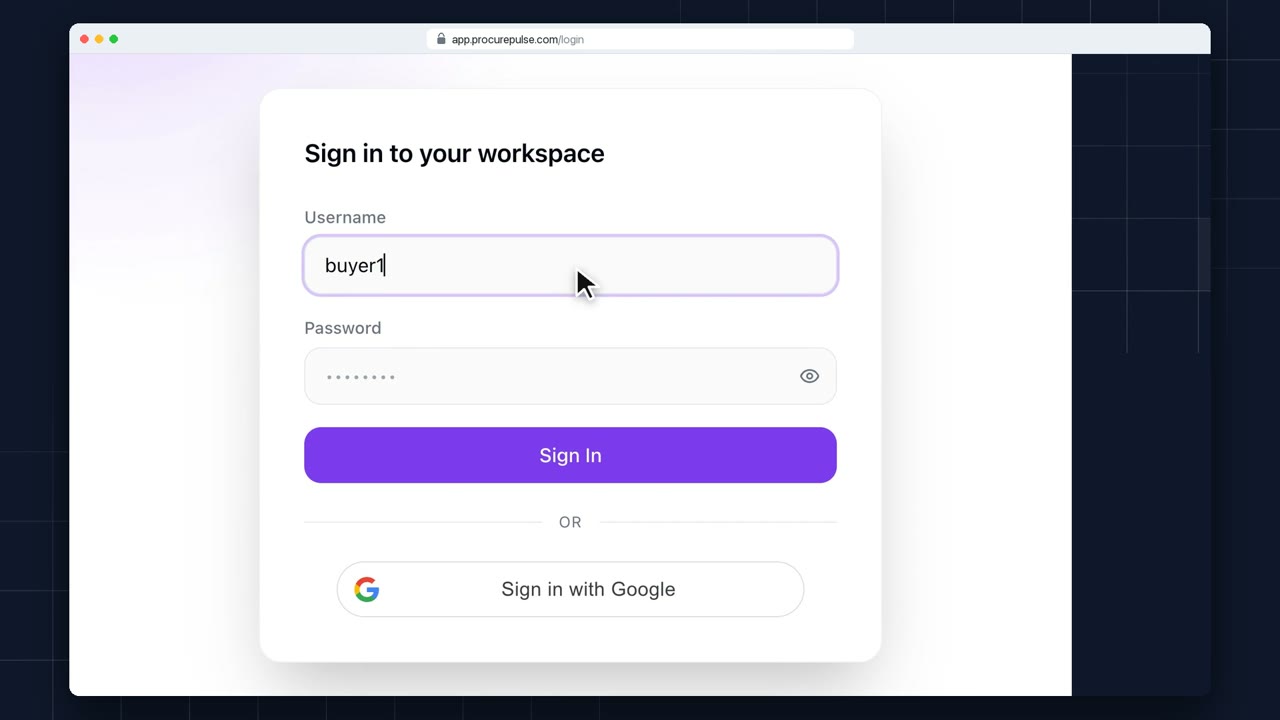
Open your ProcurePulse address in the browser. You can sign in with your username and password, or with Google if your company uses it.
 0:53
0:53 Getting started
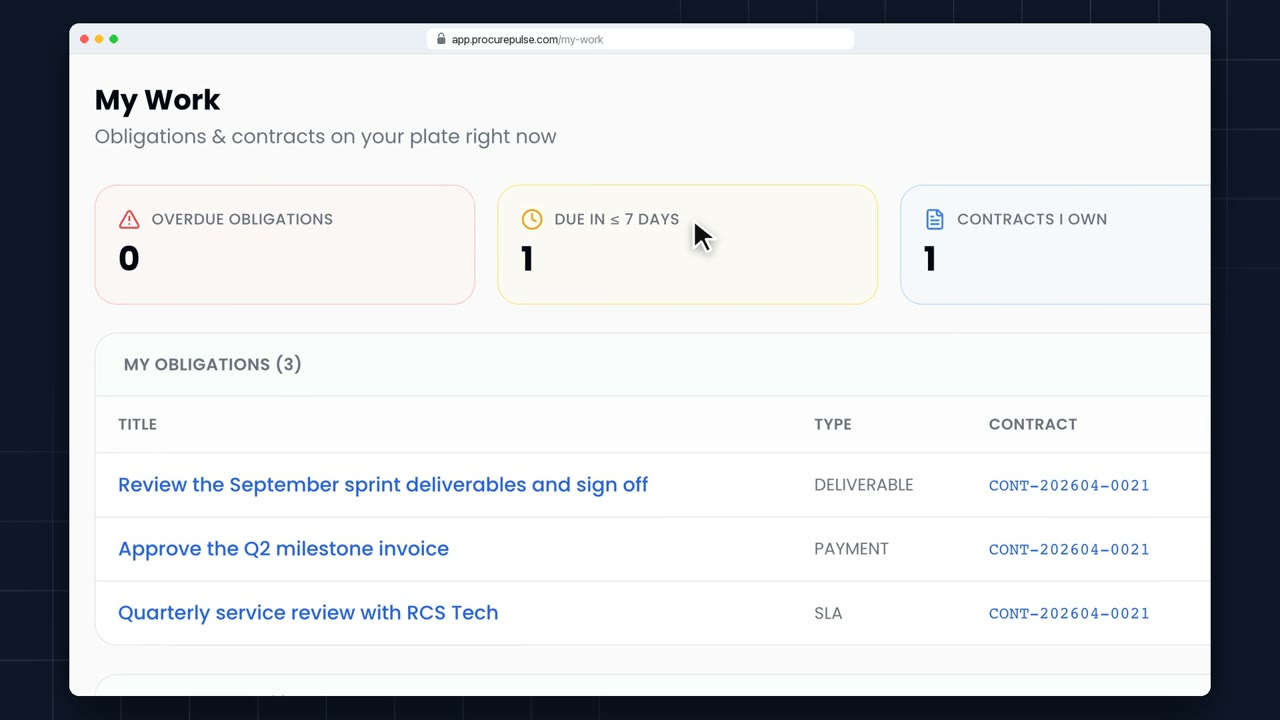
My Work shows the contract work that's yours: obligations to meet, and contracts you own.
 0:56
0:56 Getting started
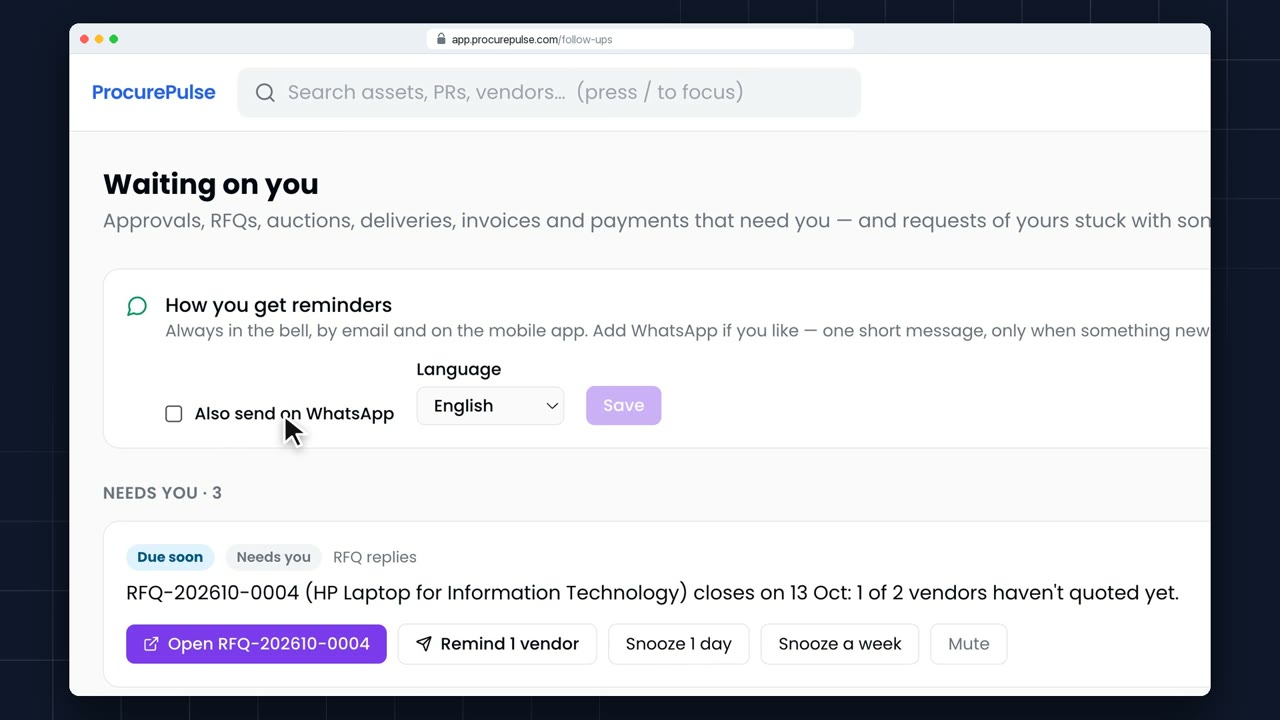
Waiting on you collects everything that needs you right now: approvals, RFQs, auctions, deliveries, invoices and payments.
 0:56
0:56 Getting started
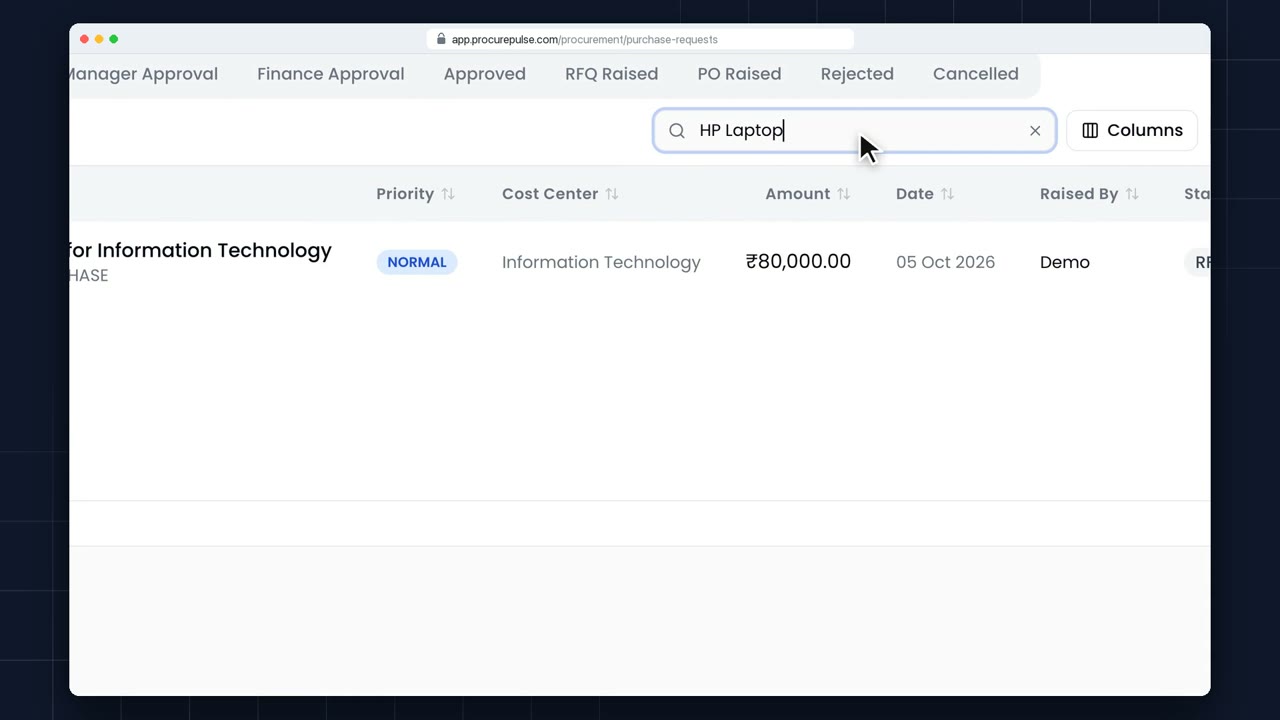
Every list in ProcurePulse works the same way. Here are your purchase requests.
 0:49
0:49 Getting started
When something changes on your work, the bell at the top tells you how many new notifications you have.
 0:50
0:50 Getting started
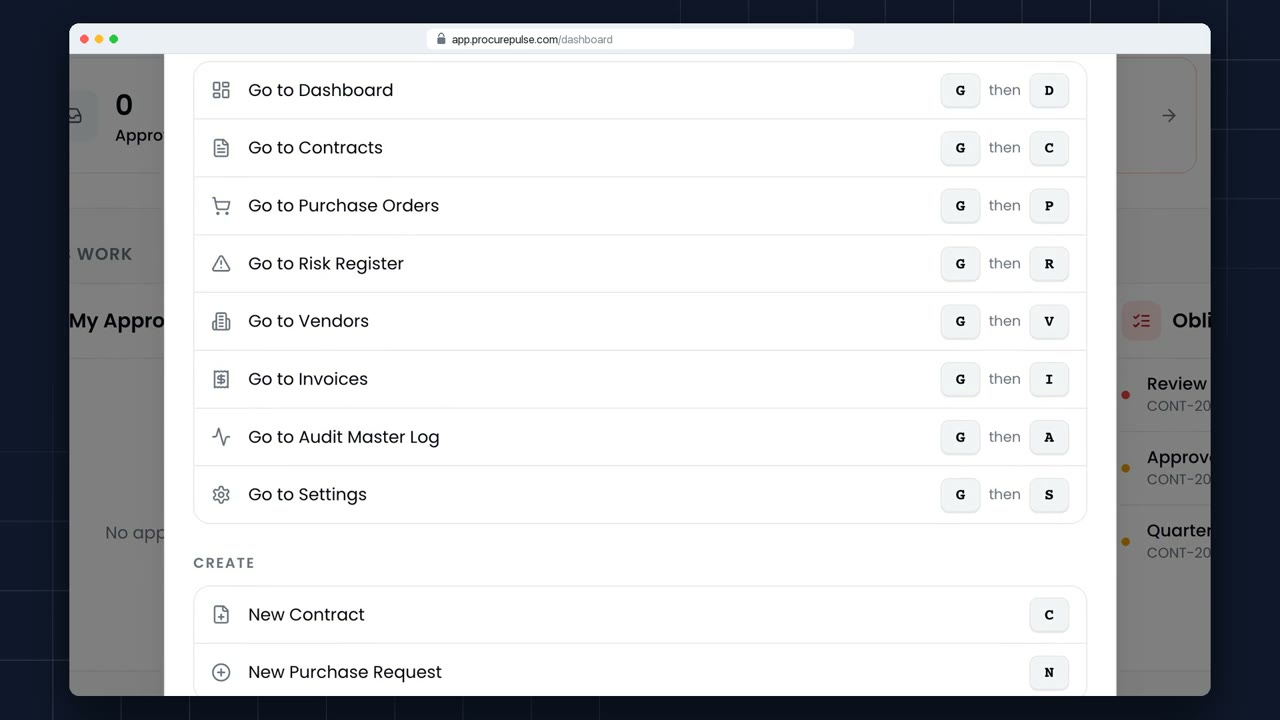
You can move around ProcurePulse without touching the mouse. Press the question mark at any time to see every shortcut.
 0:44
0:44 Getting started
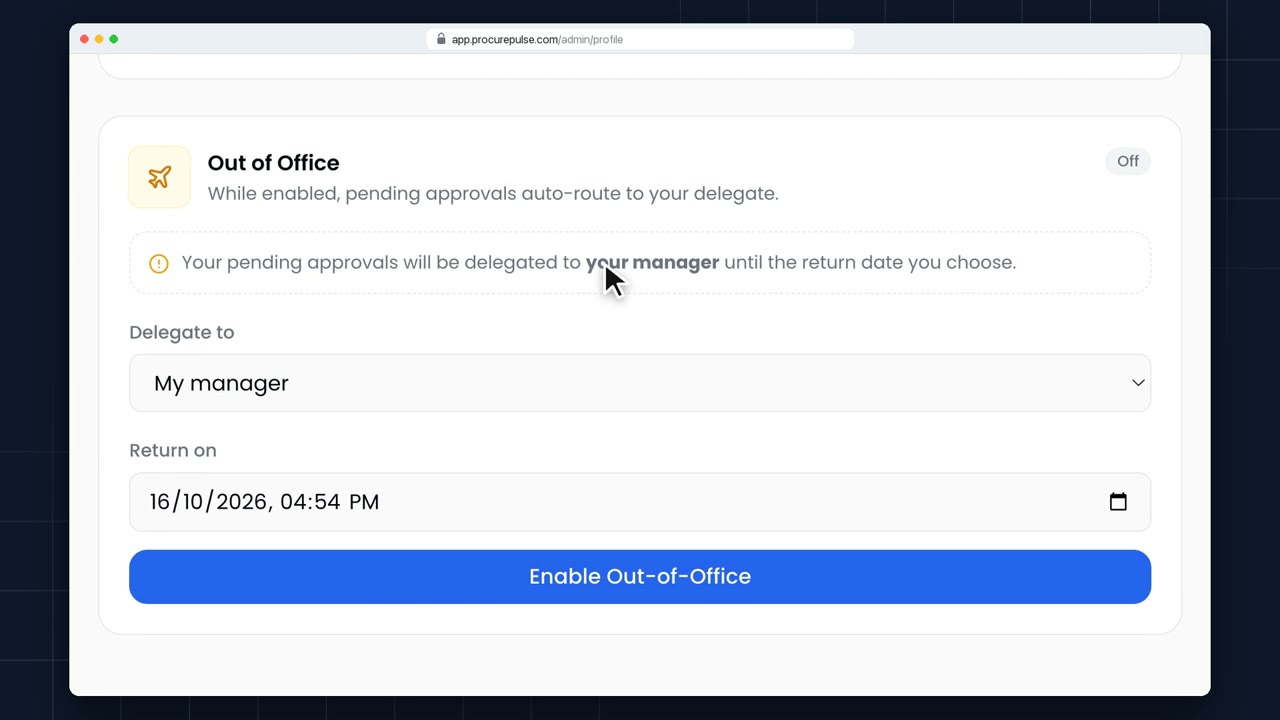
Going on leave? Open your name at the top right, and choose My Profile.
1:27 Getting started
Ask AI does real work for you, in plain words. Type what you need: here, a purchase request for ten laptops.
2:17 Ask AI
Type “10 Dell laptops for the IT team”. Ask AI drafts the purchase request from your own catalogue, prices and locations. Nothing is created until you confirm.
 1:13
1:13 Purchase requests
Pick the type, cost centre and product from the catalogue; tax, unit and rate fill in, and Budget Availability shows whether the request fits.
 0:57
0:57 Purchase requests
Save what you know as a draft, nothing goes to approvers, then submit it from the Draft tab when you are ready.
 0:48
0:48 Purchase requests
The Procurement Journey shows every step: who approved it and when, then the RFQ, PO, goods receipt and invoice, each linked.
 1:16
1:16 Purchase requests
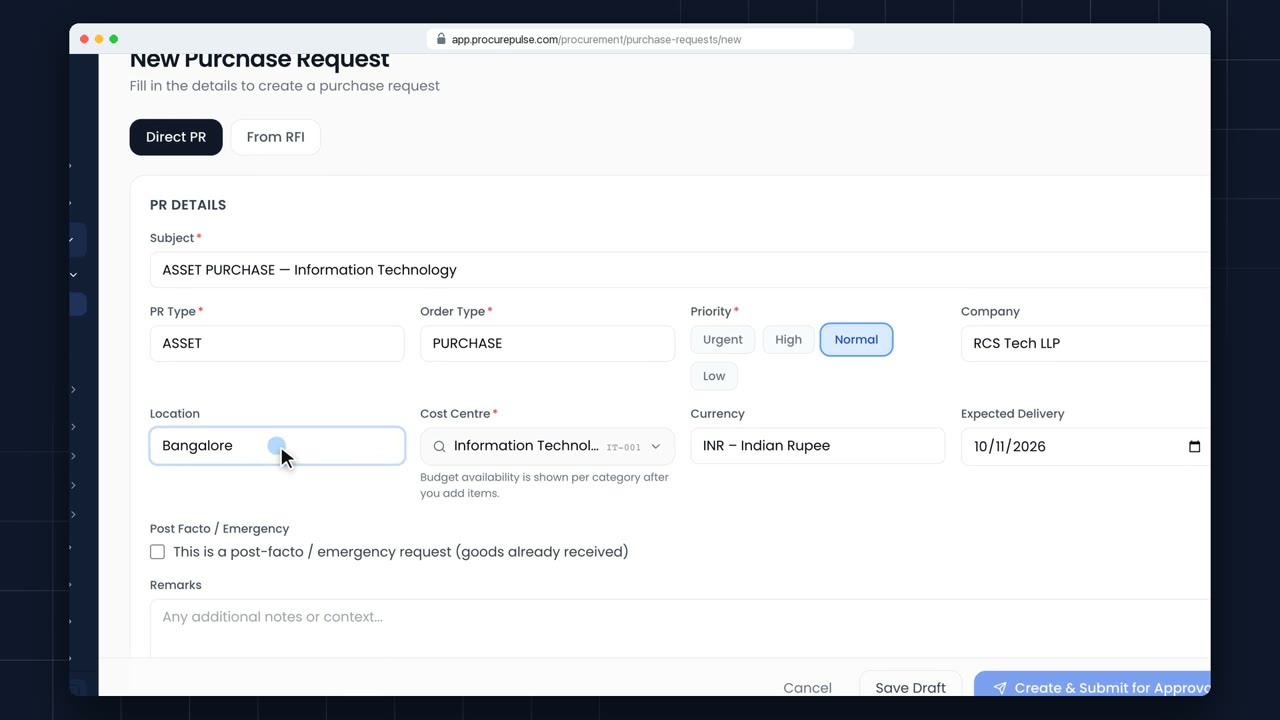
Sometimes goods have to be bought before anyone can approve them: a breakdown at a site, a same-day replacement. Start a purchase request as usual.
 1:08
1:08 Purchase requests
Every purchase request is checked against its budget as you fill it in. Here's a big one: laptops for a whole new office.
 0:45
0:45 Purchase requests
Not every spend is a catalogue purchase. For one-off costs, like an event or a service paid directly, raise a spend request. Click New Spend Request.
 0:55
0:55 Approvals
One inbox for everything waiting on you: filter by type, open the record, approve or reject with a reason.
 0:29
0:29 Approvals
Check the vendor, lines and total, then approve; the vendor sees the order in their portal straight away.
 1:26
1:26 RFQs & quotes
Once a purchase request is approved, open it and click Create RFQ.
 0:55
0:55 RFQs & quotes
Once every approver has signed off, the purchase request shows a Create RFQ button. Click it.
 0:38
0:38 RFQs & quotes
Every quote side by side with the lowest marked L1. Select the winner and the purchase order is created for you.
 0:51
0:51 RFQs & quotes
Vendors can sharpen their quote until the deadline; every revision stays on record, and only the latest counts.
 0:56
0:56 RFQs & quotes
Vendors must accept your terms before they can quote; the response tracker shows who has, and which version.
 0:54
0:54 RFQs & quotes
For high-value or sensitive buys, you can keep every quote sealed until the deadline, so nobody can be tempted to share one vendor's price with another.
 0:57
0:57 RFQs & quotes
When you raise an RFQ, Vendor Obligations lets you attach your contract and your terms and conditions, so vendors quote on your terms.
 1:25
1:25 Reverse auctions
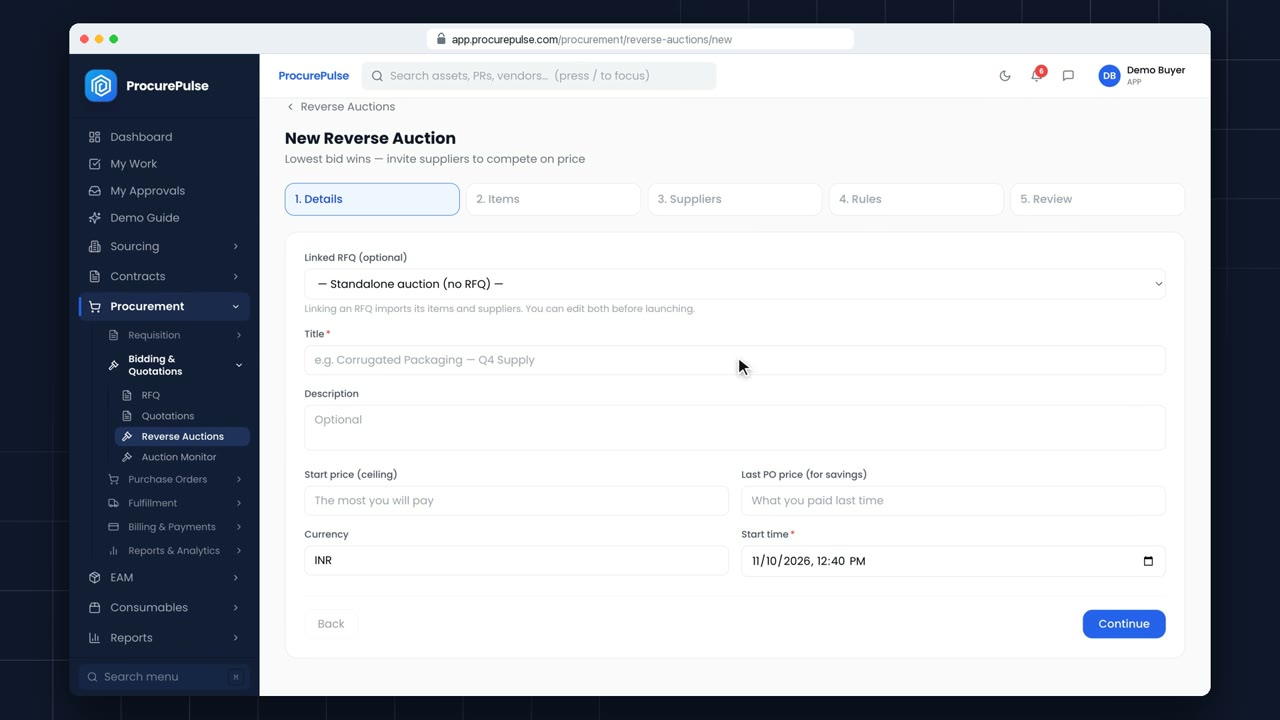
A reverse auction gets suppliers to compete on price, live. The lowest bid wins. Start from Reverse Auctions, and click New Auction.
 0:55
0:55 Reverse auctions
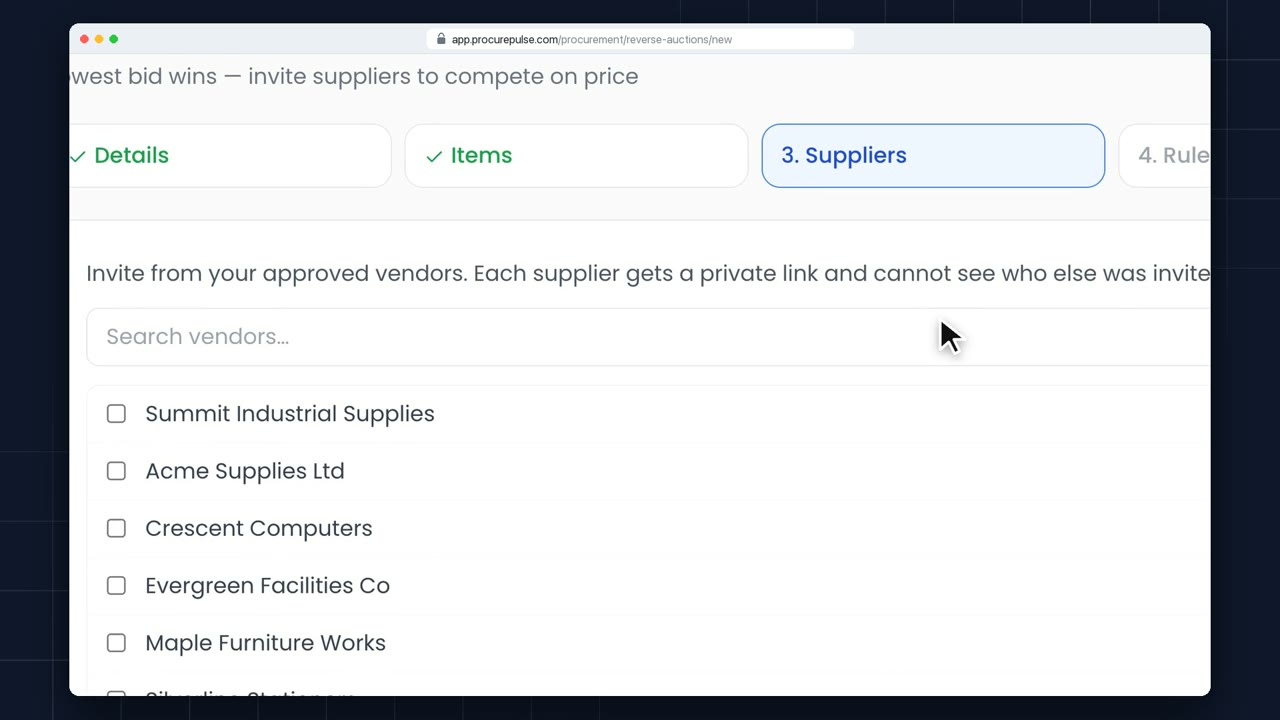
Step three of a new auction is Suppliers. You invite from your approved vendors. Each one gets a private place to bid, and none of them can see who else was invited.
 0:58
0:58 Reverse auctions
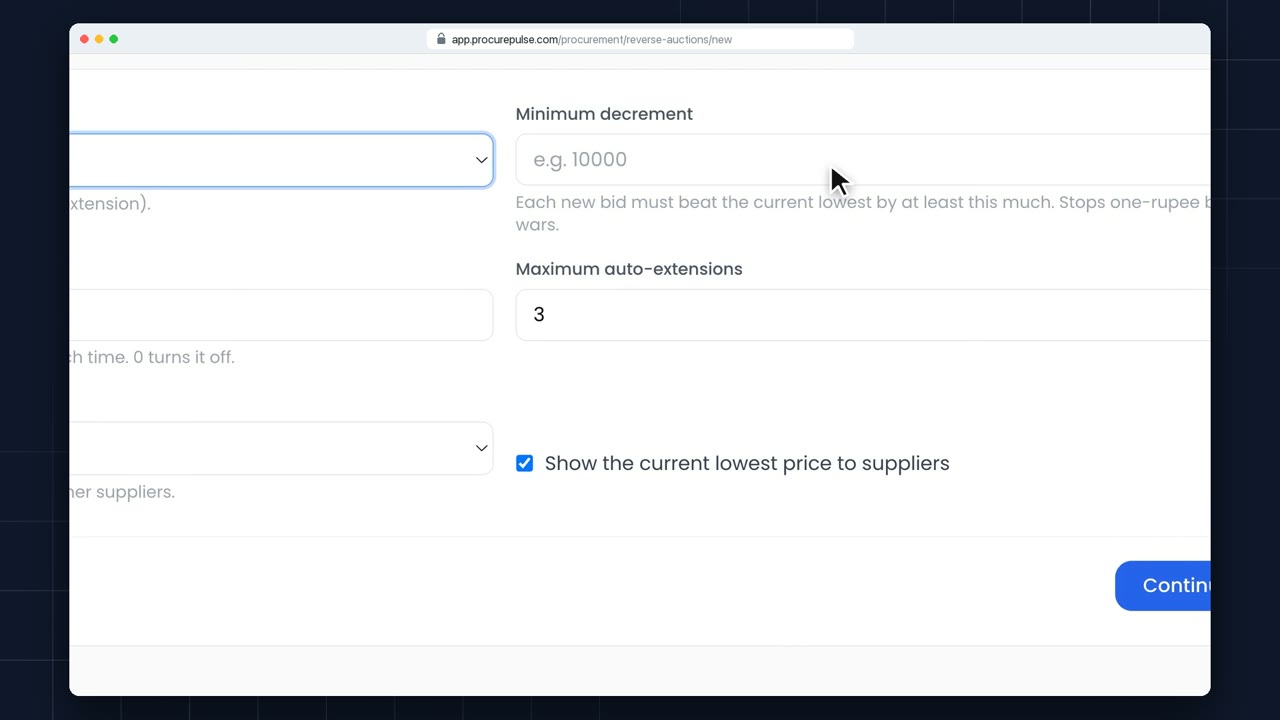
Step four sets the rules. First, how long the auction runs. ProcurePulse shows when it will close.
 0:55
0:55 Reverse auctions
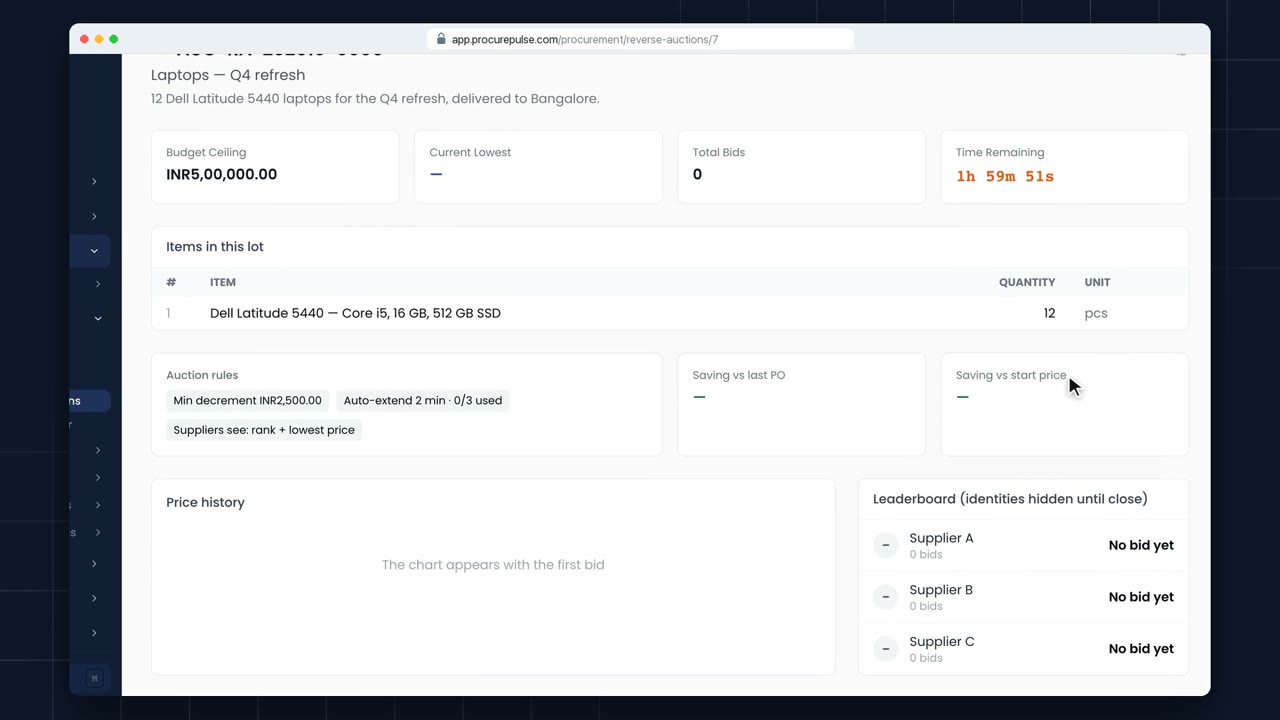
Open the auction to watch it live: your ceiling, the current lowest bid, and the time left.
 0:56
0:56 Reverse auctions
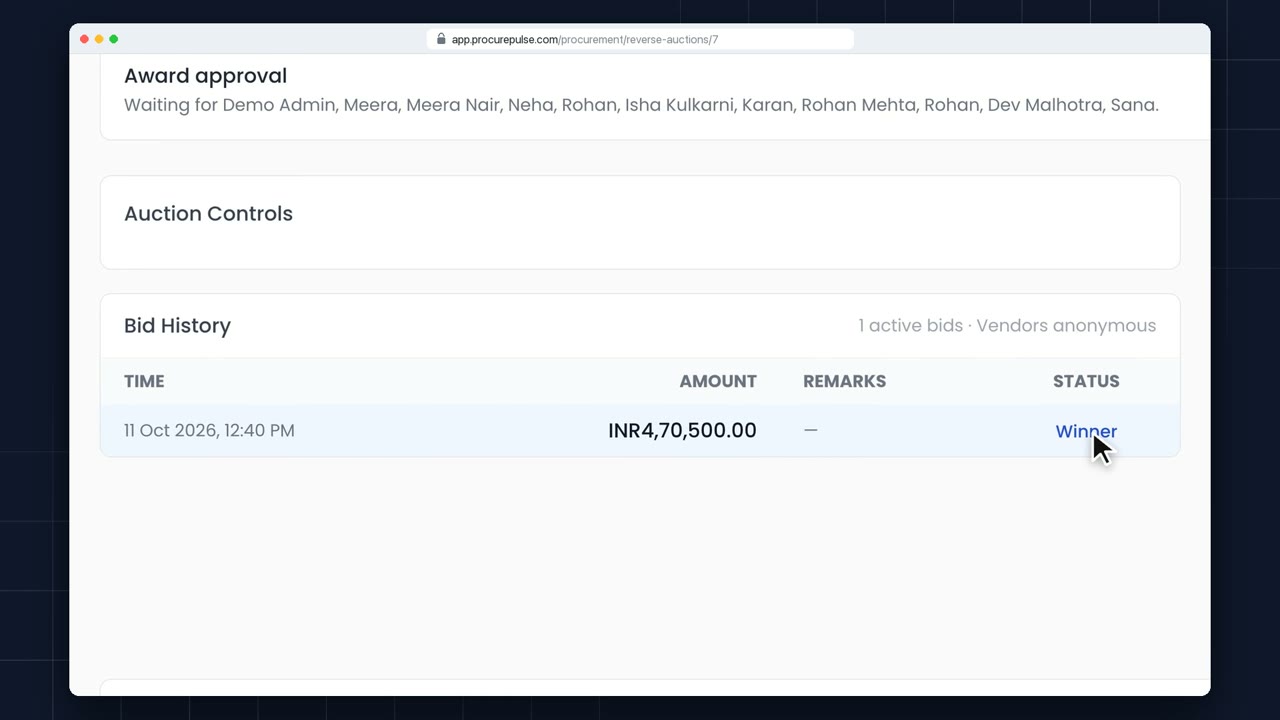
Here's where the auction stands: three suppliers, ranked by price, still anonymous.
 0:40
0:40 Reverse auctions
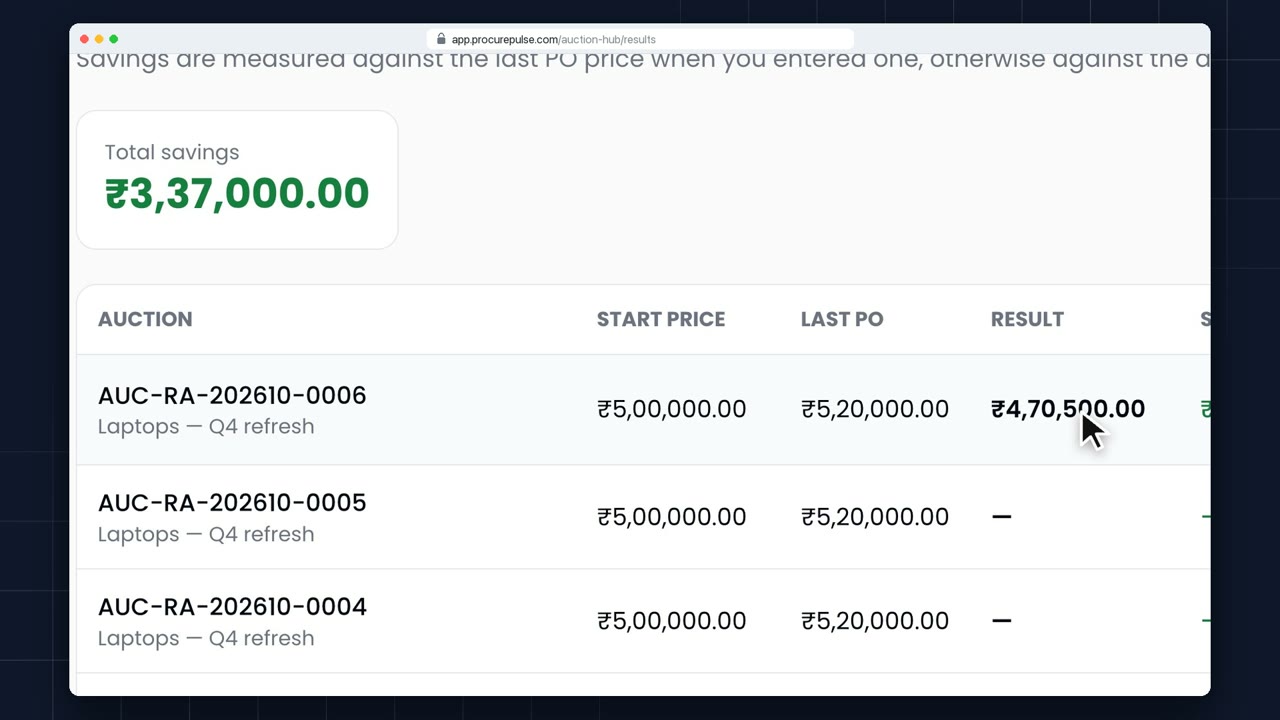
Every auction keeps its own record. Open a closed auction and scroll down.
 0:40
0:40 Reverse auctions
Results and Savings, in the Auction Hub, adds up what your auctions have saved.
 0:52
0:52 Reverse auctions
When a buyer invites you to a reverse auction, it shows up under Auctions in your vendor portal. Open it.
 0:59
0:59 Purchase orders
The purchase order is built from the quote: same items, prices, delivery date and GST. Nothing to retype.
 0:58
0:58 Purchase orders
Not every purchase needs an RFQ. When a request is approved and you already know the supplier, raise the purchase order directly.
 1:21
1:21 Purchase orders
For routine buys from a known supplier, raise the PO directly: New Purchase Order, Direct Purchase.
 0:56
0:56 Purchase orders
Once a PO is approved, send it to the vendor from the PO itself.
 0:48
0:48 Purchase orders
Plans change after a PO goes out. Click Amend. Pick the line to change and enter the new quantity or price: here, eight docks instead of six. You can also remove lines nothing's been received on, or add new ones.
 0:55
0:55 Purchase orders
Two ways to stop a PO: cancel it, or short-close it. Cancel when it shouldn't exist at all, like this duplicate. Cancel PO, and confirm.
 0:57
0:57 Purchase orders
Rate Purchase lists every rate you've agreed in a rate contract: the item, the vendor, the price and how long it's valid.
 0:42
0:42 Purchase orders
Every PO is checked before it goes out: missing tax codes, addresses, wrong totals, unfilled placeholders. The panel at the top says what it found.
 0:46
0:46 Purchase orders
Boards, PO Delivery: every open purchase order, by where its delivery stands.
 0:55
0:55 Vendor portal
In the vendor portal, acknowledge the order and confirm a delivery schedule, split across dates if needed.
 0:50
0:50 Vendor portal
Tell the buyer what shipped, with serial numbers, tax invoice and e-way bill details, from the vendor portal.
 0:45
0:45 Vendor portal
Bill exactly what the buyer accepted at the PO price; ProcurePulse reads the attached invoice and checks GSTIN, PO and total.
 1:03
1:03 Receiving
Dispatch Notices lists every shipment vendors have told you about. When a delivery arrives, find its notice.
 0:40
0:40 Receiving
Enter accepted and rejected quantities with reasons; only accepted units can be invoiced, and assets register automatically.
 0:45
0:45 Receiving
Once the vendor confirms the PO, agree the delivery schedule. Vendors propose it from their portal; you can also set it yourself.
 0:48
0:48 Receiving
Vendors usually send a dispatch notice from their portal. If one calls or emails instead, record it for them.
 1:01
1:01 Receiving
The first part of the order is here. Find its dispatch notice under To receive.
 0:49
0:49 Receiving
Rejections are recorded when the GRN is inspected, in the Validation Panel.
 0:55
0:55 Receiving
Returns start from the GRN the goods came in on: click Return to vendor.
 1:01
1:01 Receiving
Some goods arrive with only a bill. Under Inward Assets, Create GRN, pick Direct, no PO.
 1:07
1:07 Receiving
Services don't arrive in a box. You confirm them with an SRN. Open Create SRN and pick the service PO.
0:52 Invoices
When a vendor emails you an invoice, open Invoices, and click New Invoice.
 0:49
0:49 Invoices
A paper bill has arrived. Open New Invoice and pick the purchase order it's for.
0:57 Invoices
Month end, and a pile of vendor invoices? Open the Invoice Reading Queue, under Billing and Payments.
 0:57
0:57 Invoices
Pending invoices wait under Invoices. Open the one to approve.
 0:52
0:52 Invoices
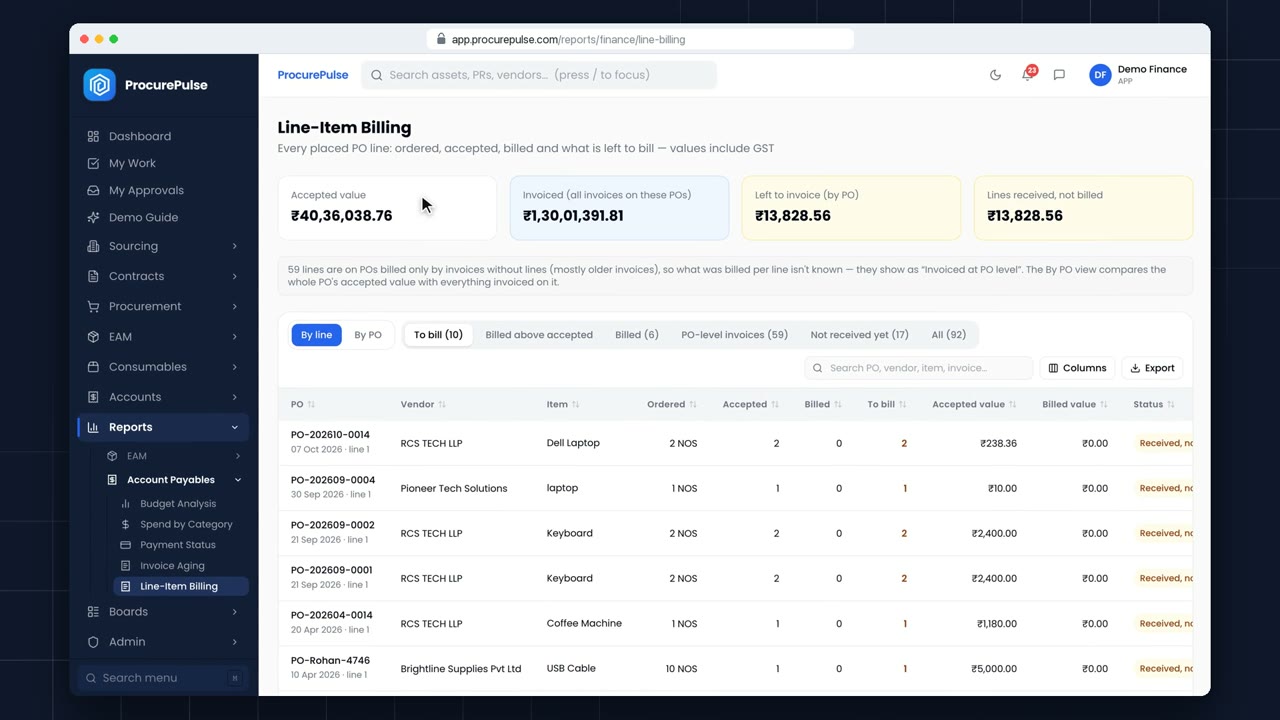
Line-Item Billing, under Reports, shows every placed PO line: what was ordered, received, accepted, billed, and what's left to bill.
 0:38
0:38 Invoices
Hold an invoice with a reason while a question is open; approval is blocked until someone releases it.
 0:42
0:42 Invoices
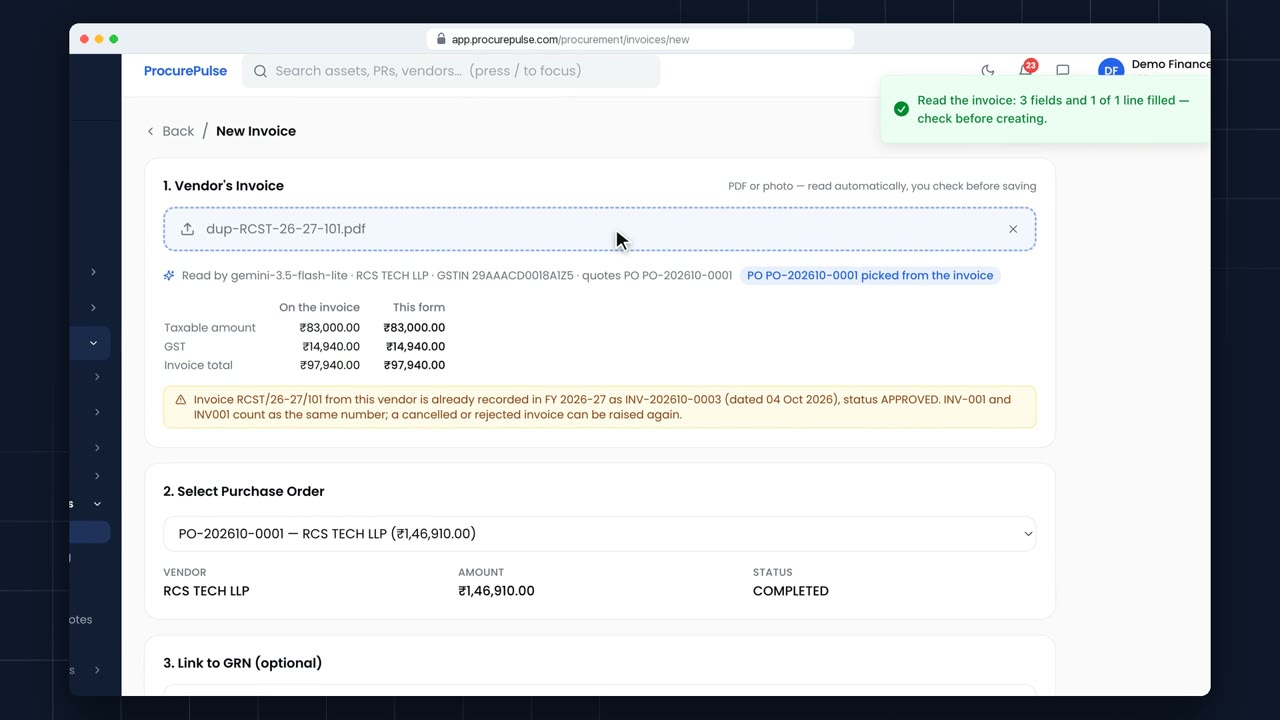
Vendors sometimes send the same invoice twice: a reminder, a resend, a copy by post. Here, someone uploads an invoice that's already in the system.
 0:46
0:46 Invoices
The invoice is approved and the money has gone out from the bank. Open the invoice.
 1:02
1:02 Invoices
Goods went back, or never came. A debit note tells the vendor what they owe you. Open Debit and Credit Notes, and click New.
2:14 Contract AI
Contract AI reads the vendor’s PDF and pre-fills vendor, dates, value, payment terms and schedules, each tagged with the page it came from.
1:39 Amendment AI
Amendment AI reads the vendor’s addendum against the original contract and lists every change: term, value and clauses.
1:58 Invoice to Assets
Attach the invoice: the goods receipt fills itself, each item gets an asset category, and every unit becomes an asset with its serial number, ready for QR tags.
 0:49
0:49 Assets
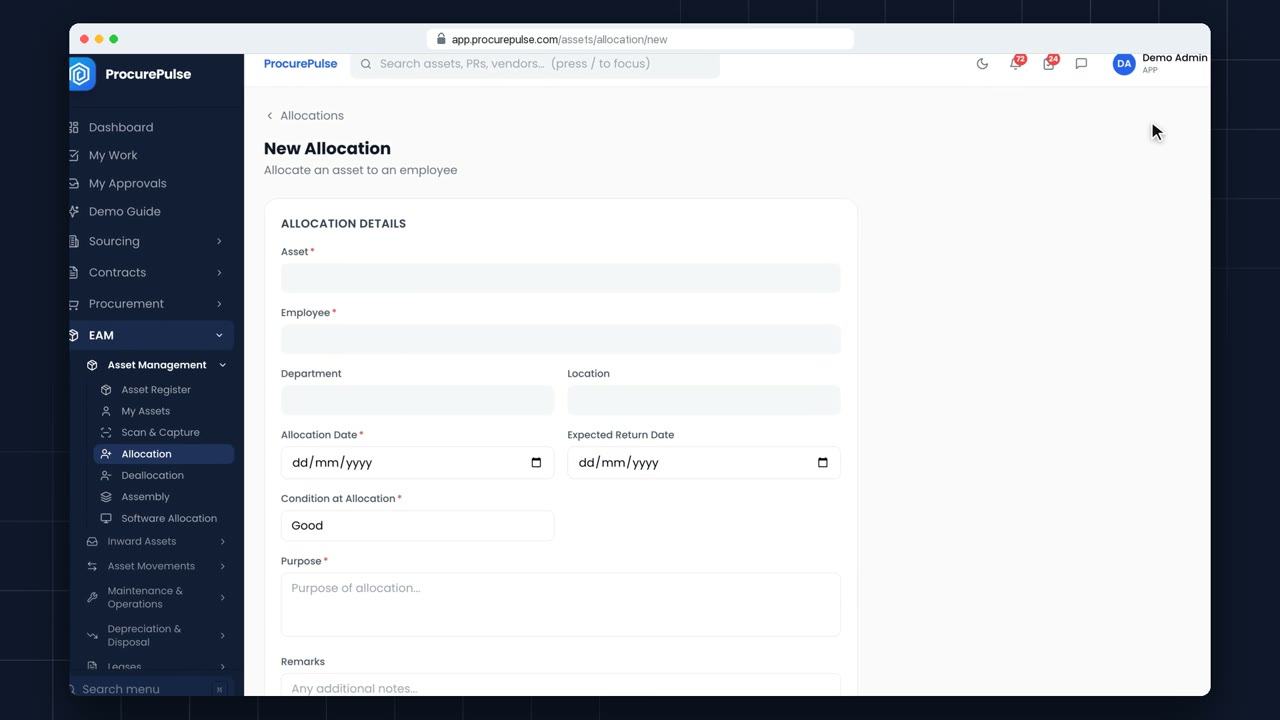
Allocations shows who has which asset. To hand one over, start a new allocation.
 0:41
0:41 Assets
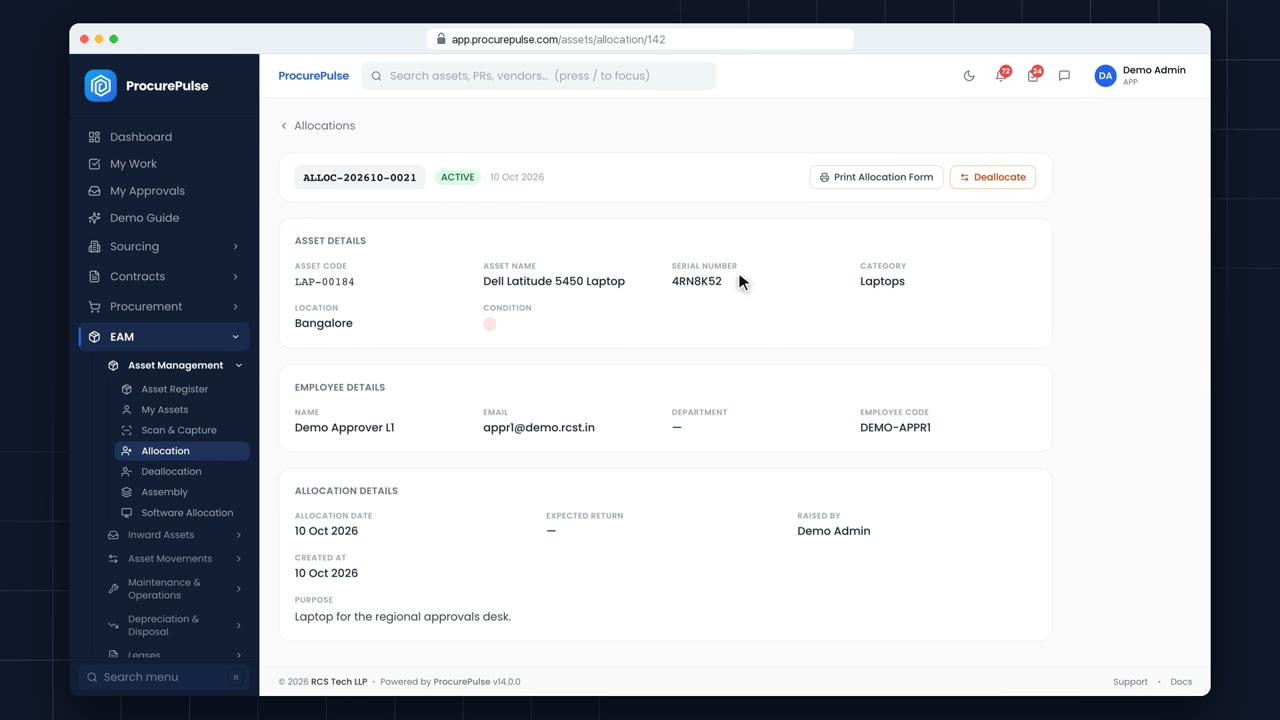
When someone hands an asset back, find its allocation: search by the asset code, or the person's name.
 1:01
1:01 Assets
An assembly groups assets that work as one: a desktop with its monitor, or a machine with its parts. Start a new assembly.
 0:54
0:54 Assets
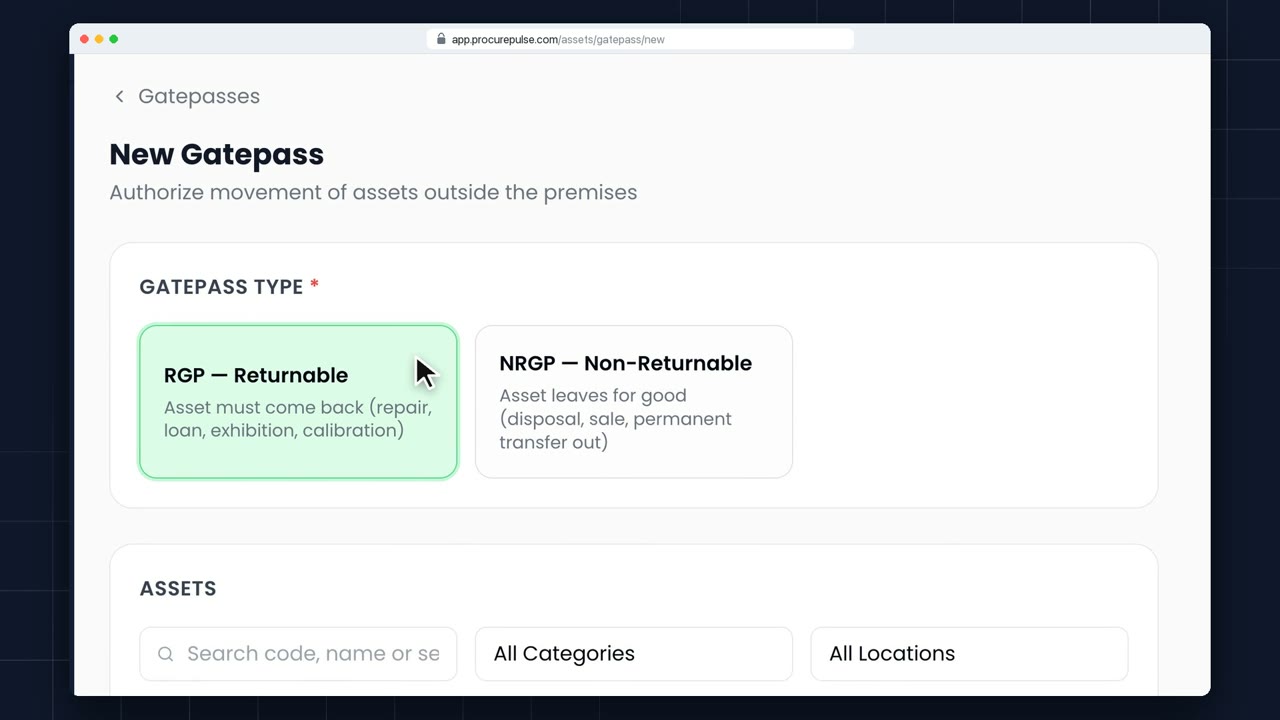
Anything leaving the premises needs a gatepass. Start a new one.
 0:51
0:51 Assets
Maintenance keeps track of servicing, calibration and repairs before they're needed. Start a new record.
 0:50
0:50 Assets
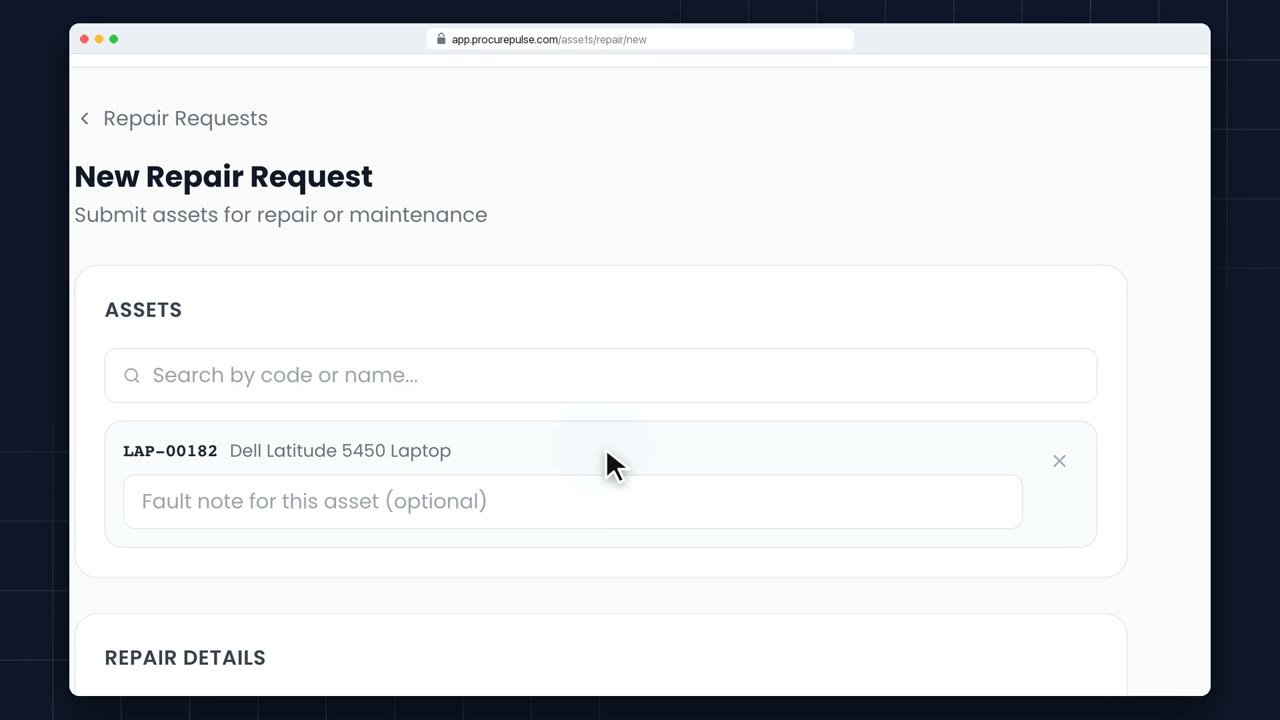
When something breaks, log a repair. Start a new repair request.
 0:54
0:54 Assets
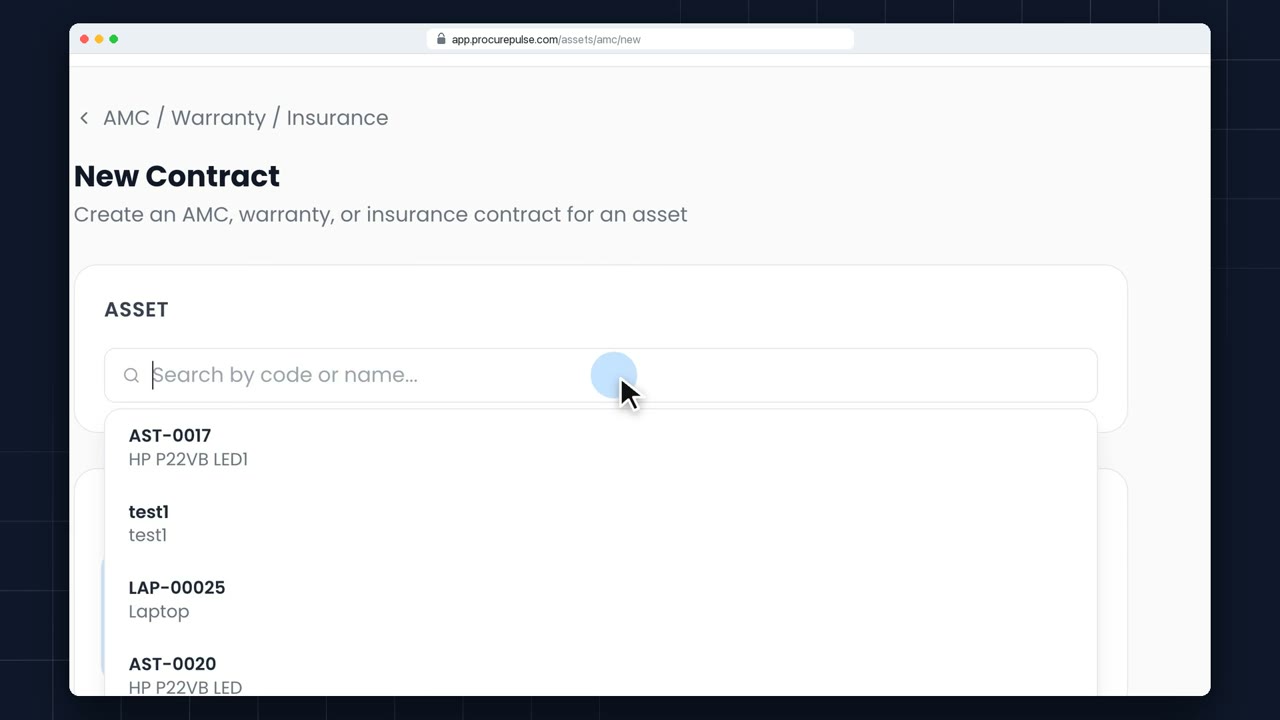
AMC, Warranty and Insurance lists every contract that covers your assets, and flags the ones about to run out. Add a new one.
 0:44
0:44 Assets
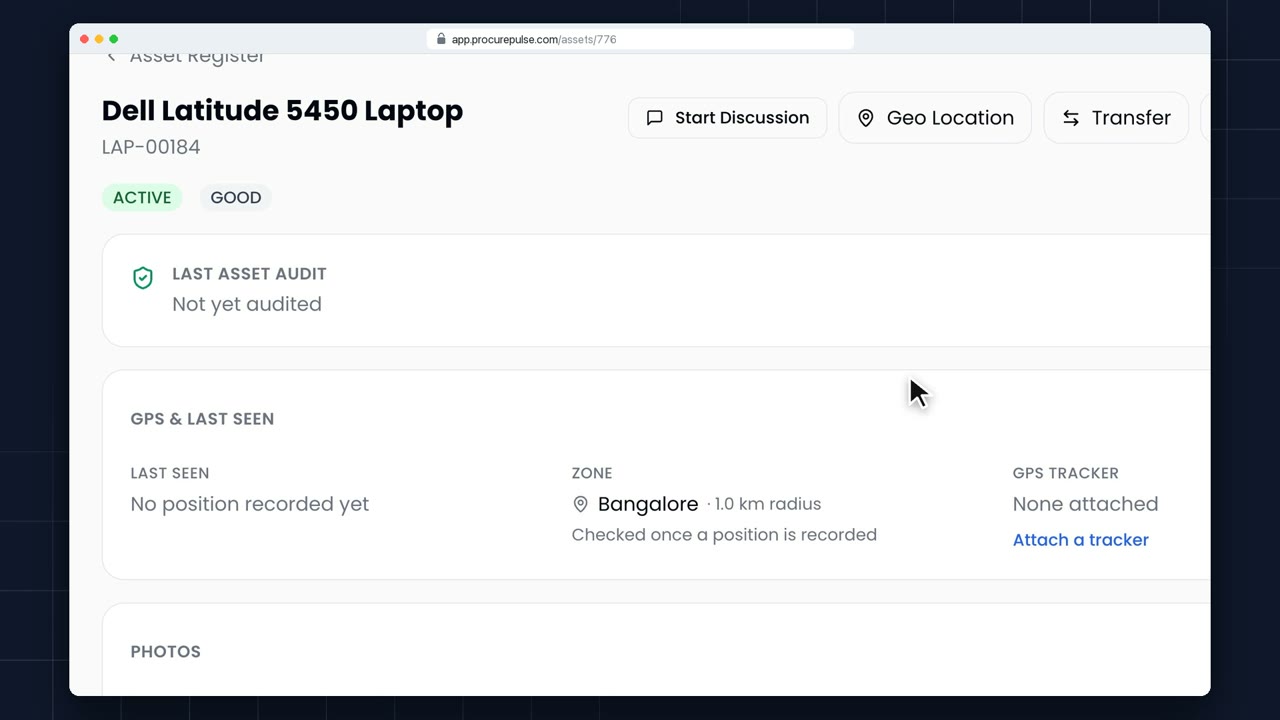
Open the Asset Register and search: by asset code, name, serial number, category or location.
 0:37
0:37 Assets
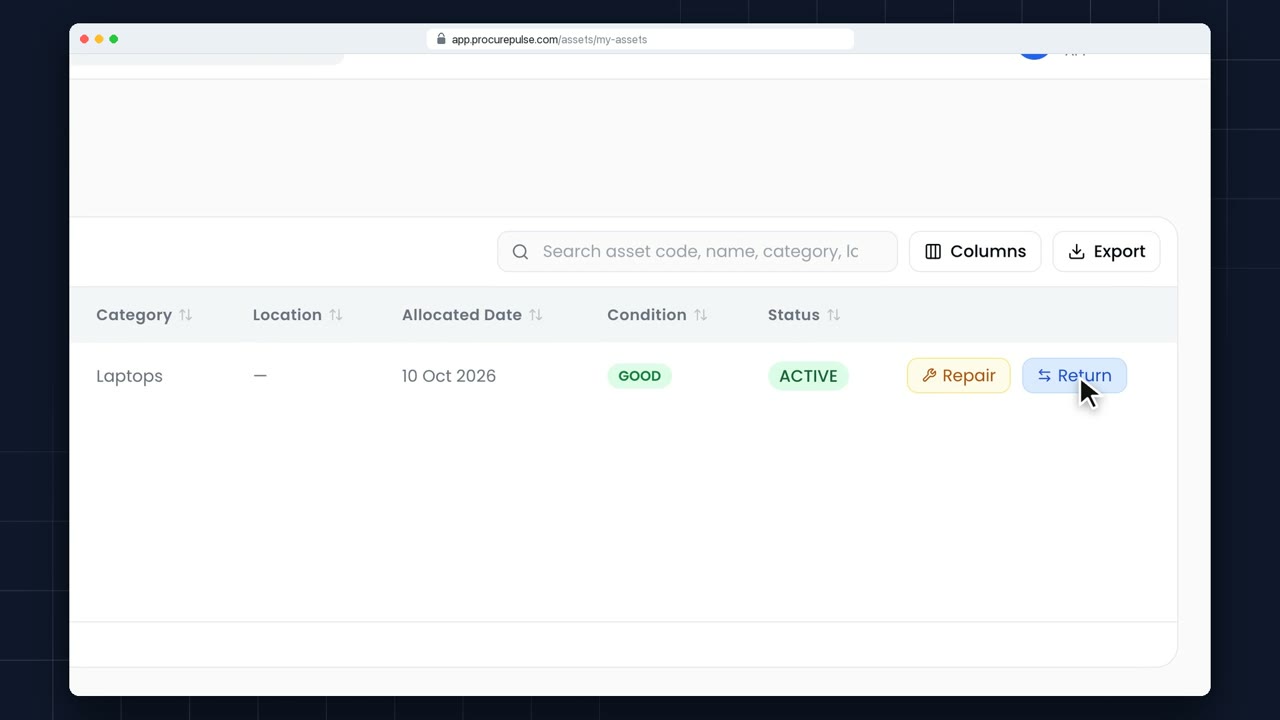
My Assets lists everything that's been handed to you: the asset, when you got it, and what it's for.
 0:49
0:49 Assets
When ordered assets arrive, go to Inward Assets and choose Create GRN.
 0:49
0:49 Assets
Register Assets splits what you received into one row per unit: two laptops, two rows.
 0:49
0:49 Assets
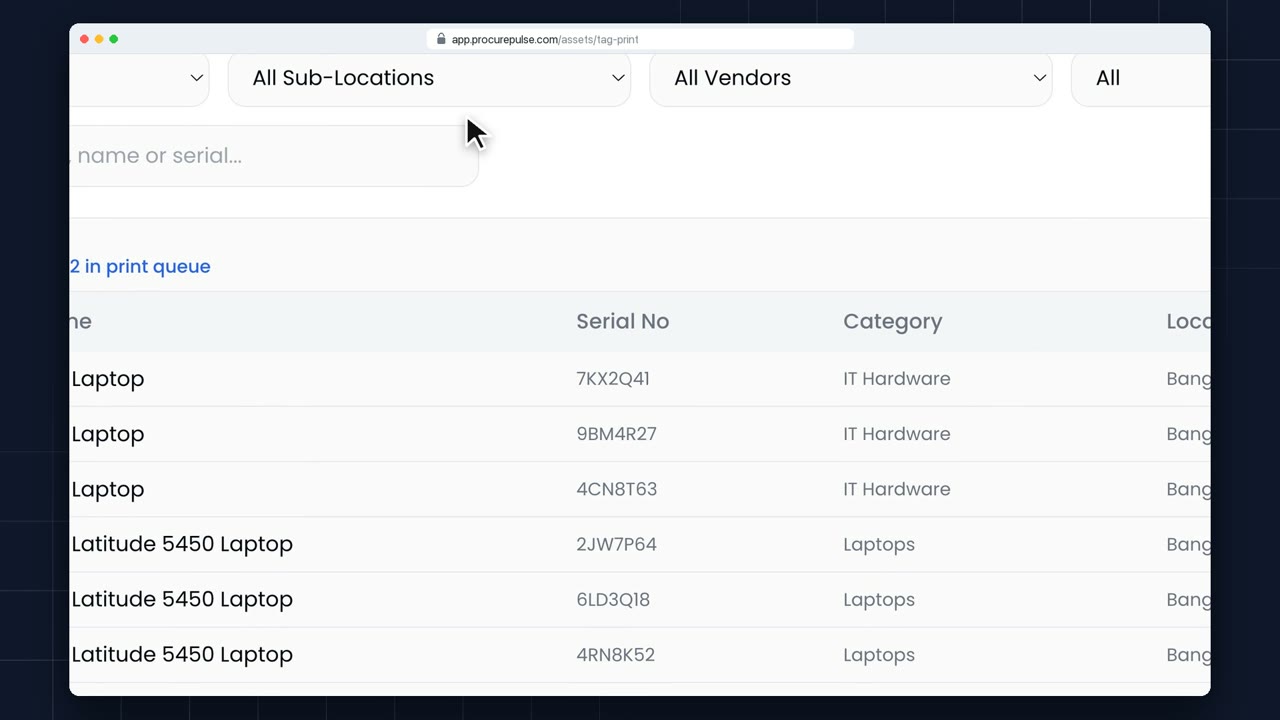
Tag Print opens straight from registration, with the new assets already selected.
 0:58
0:58 Assets
Open Asset Movements, New Transfer, and choose Intra-Unit: a move within the same location.
 1:45
1:45 Assets
For a move between locations, start a New Transfer and choose Inter-Unit.
 1:02
1:02 Assets
Physical verification runs as a campaign: one location, one window of dates.
 0:41
0:41 Assets
When an audit starts, you get an email and a notification. Asset Audits, My Pending, lists what you need to confirm.
 0:49
0:49 Assets
Most assets arrive through a PO or an invoice. For anything else, add it by hand: Asset Register, New.
 1:04
1:04 Assets
When an asset changes hands, raise an ownership transfer, so the record moves with it.
 0:40
0:40 Assets
All Transfers lists every move, within a unit and between units, newest first.
 0:57
0:57 Assets
When an asset leaves for good, say it's going back to the vendor, security needs a gatepass.
 0:51
0:51 Assets
Sometimes a scheduled service isn't needed: the machine was just replaced, or it's out of use.
 0:46
0:46 Assets
AMC and Warranty shows every contract, with the expired and expiring ones a click away.
 1:08
1:08 Assets
GPS tracking is set up once, under Admin, Settings, GPS Asset Tracking.
 0:49
0:49 Assets
Bulk Edit works in three steps: download, edit in Excel, upload.
 0:50
0:50 Assets
Bulk Excel Inward registers new assets straight from a spreadsheet.
 0:57
0:57 Assets
When an asset reaches the end of its life, raise a disposal request.
 1:24
1:24 Assets
When an approved disposal is a sale, auction it, so buyers compete on price.
 0:50
0:50 Assets
Depreciation is worked out in runs: one per financial year, for book and for tax.
 0:55
0:55 Assets
Depreciation rules live under Depreciation, Configuration. Here we look around without changing anything.
 0:50
0:50 Assets
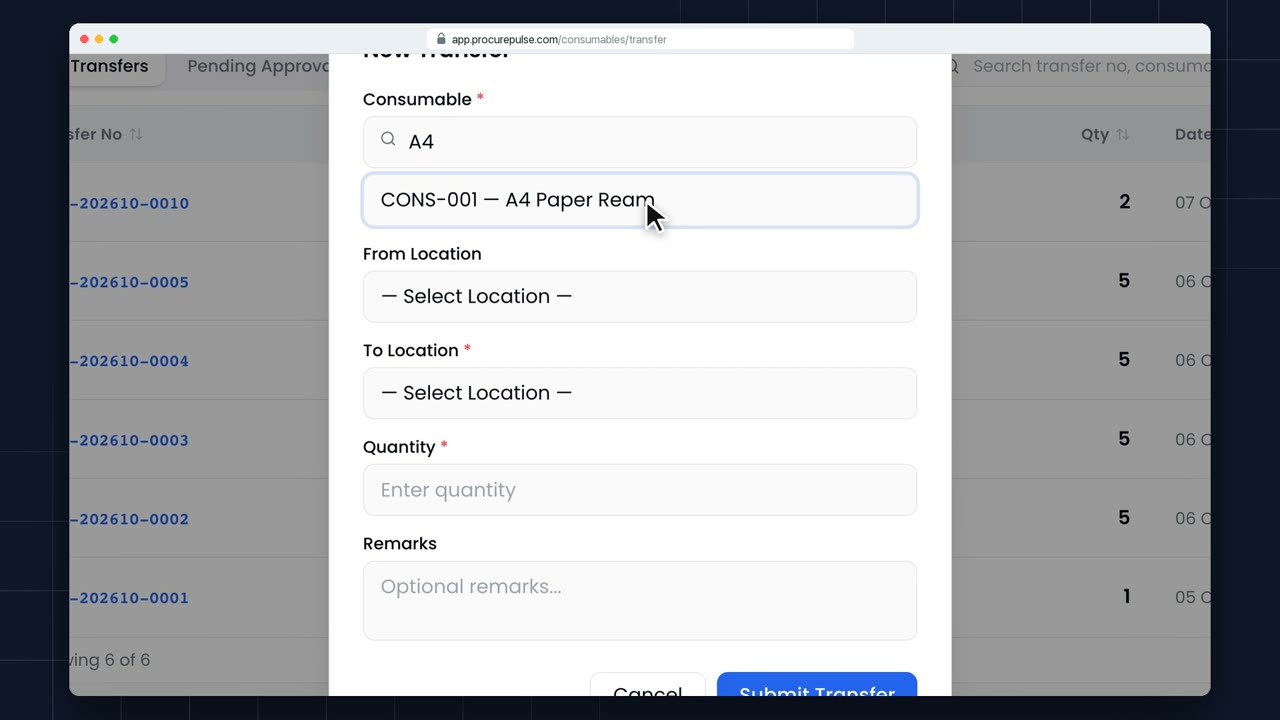
Consumable Transfers moves stock between your locations. Start a new transfer.
 3:06
3:06 Assets
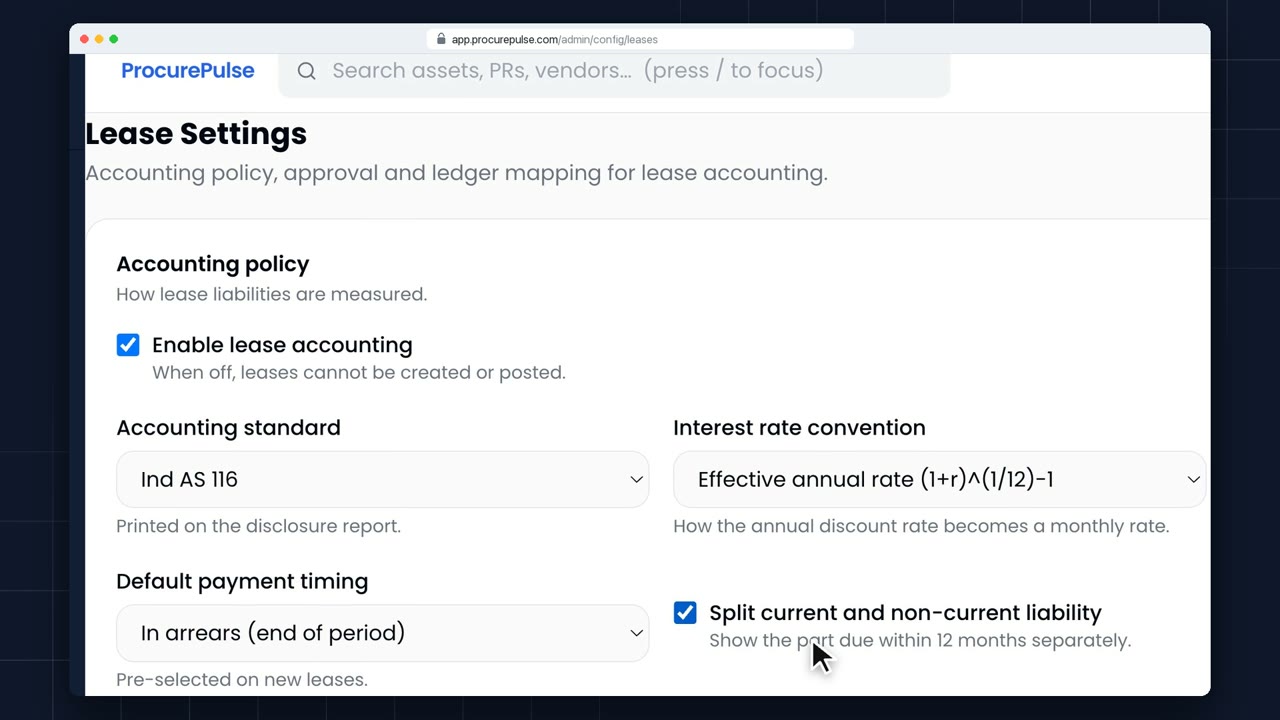
Record a lease, preview and approve it, post the month, run the reports and end it early. Every step posts its journal to Tally.
 1:25
1:25 Assets
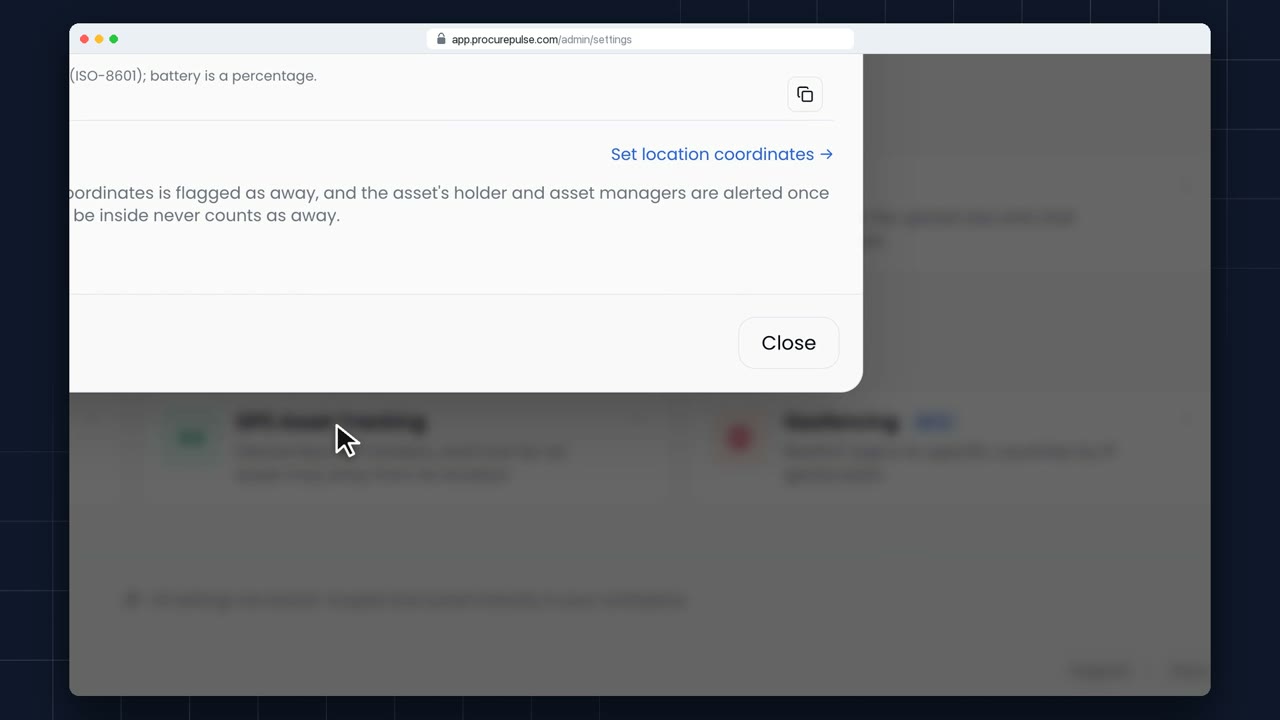
Create a device key, attach a tracker to an asset and watch its last position, zone status and battery. An asset that leaves its zone shows as away.
 2:46
2:46 VTR
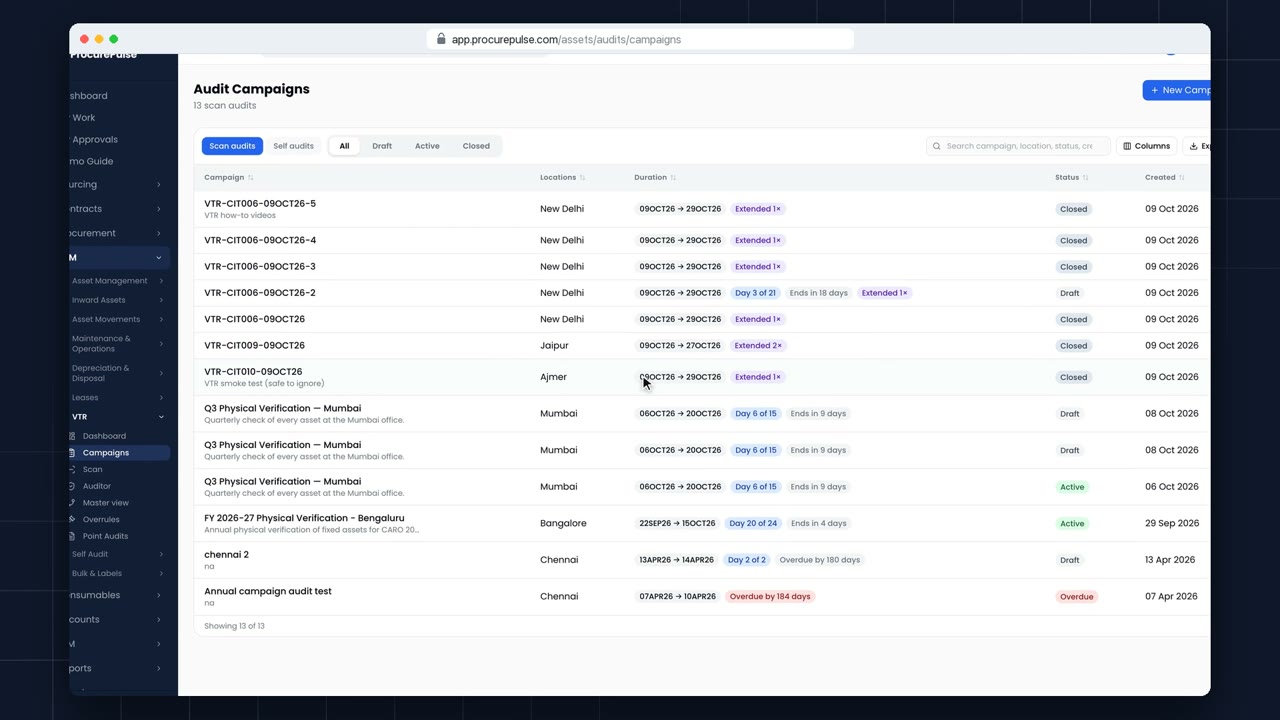
Create a scan audit, choose its locations with the location picker, add the team from RCS and the customer, and activate it.
 3:01
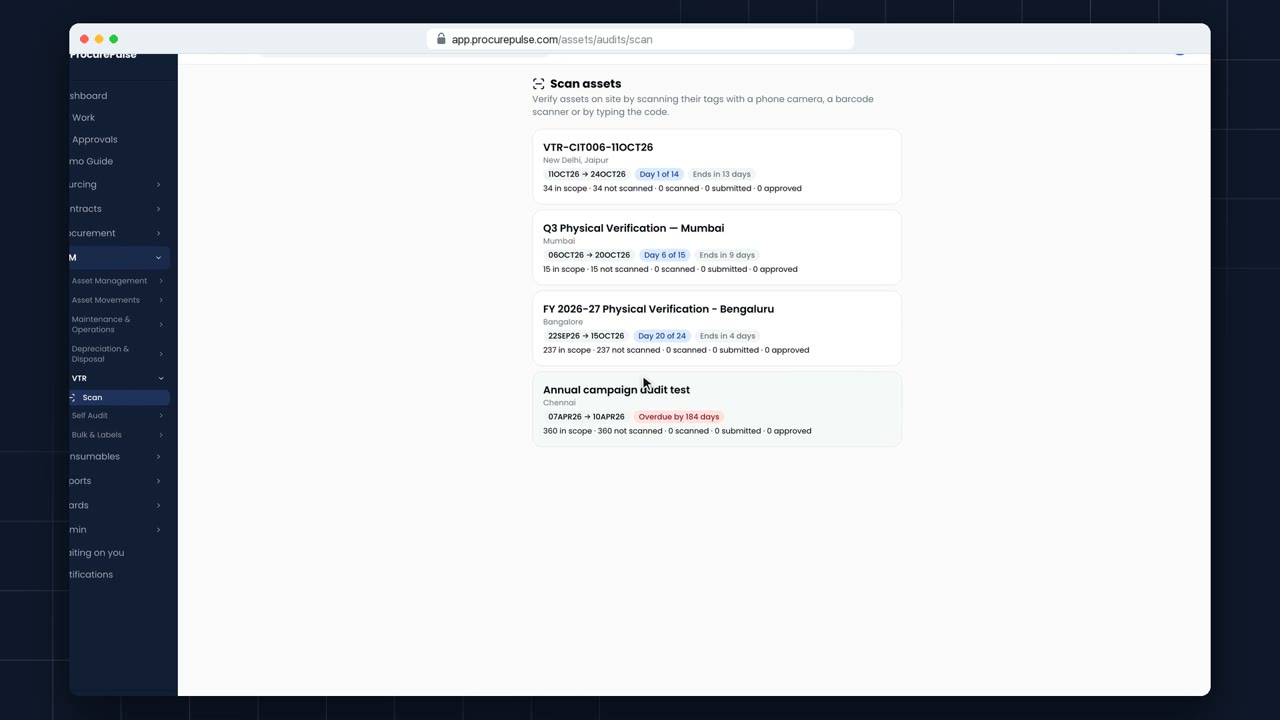
3:01 VTR
Scan a location tag, then asset tags by camera or hardware scanner. Each scan shows at once whether it matched, is misplaced or is not in the register, with a photo as evidence.
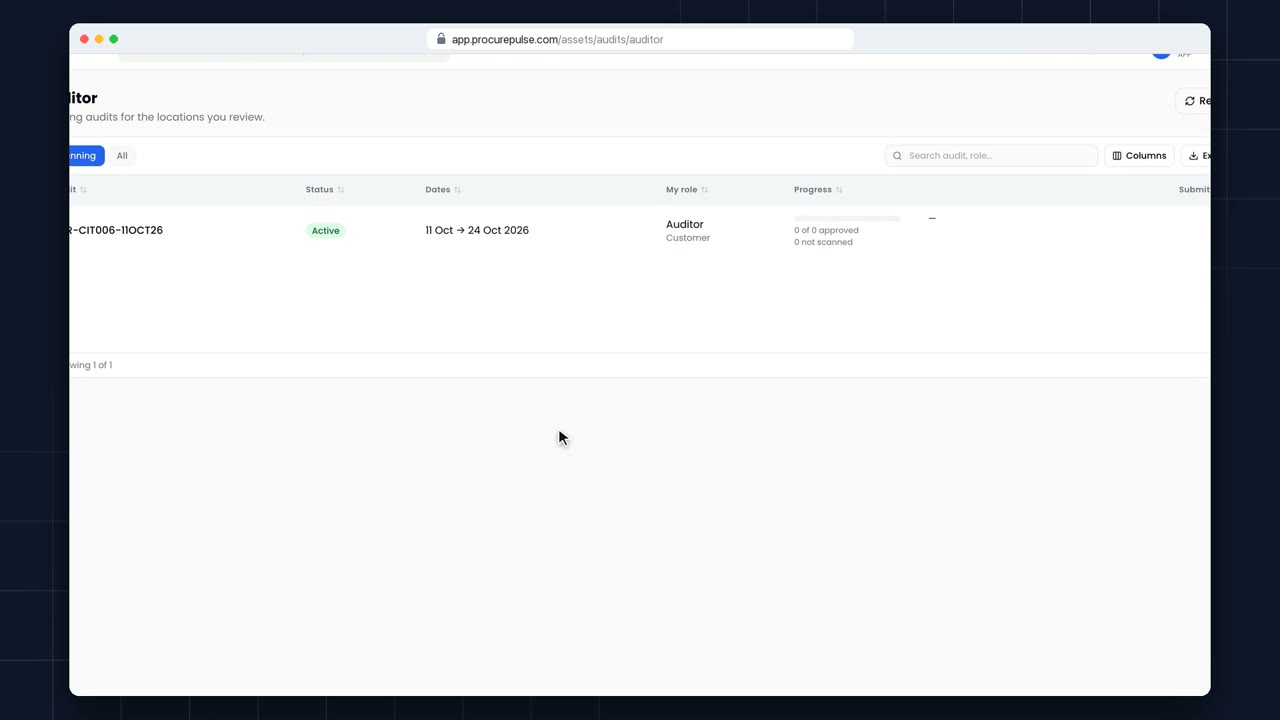 3:12
3:12 VTR
As the customer's auditor, pick your locations, check each line's photo, GPS and history, approve in bulk, reject with a reason and approve a whole location. Nobody approves a line they scanned.
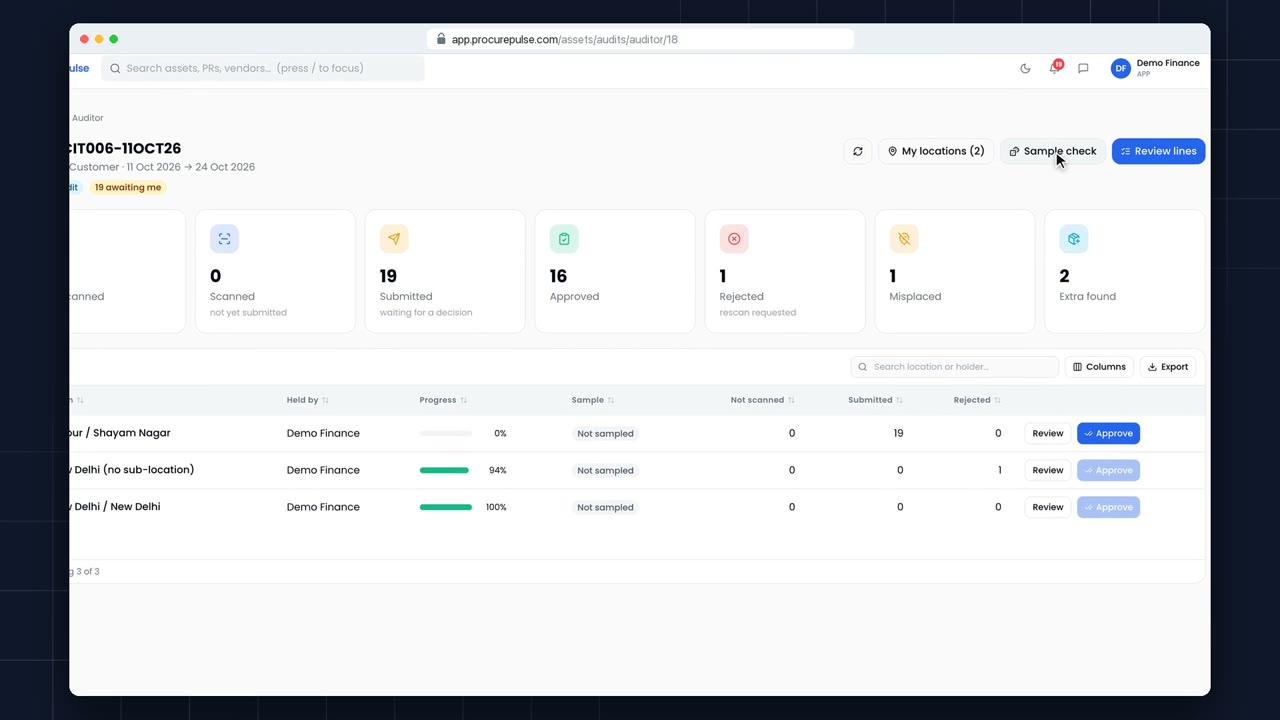 3:13
3:13 VTR
Draw a random sample within the band your settings allow, re-scan it in verification mode and see each location pass or fail. A failed location can't be approved in bulk.
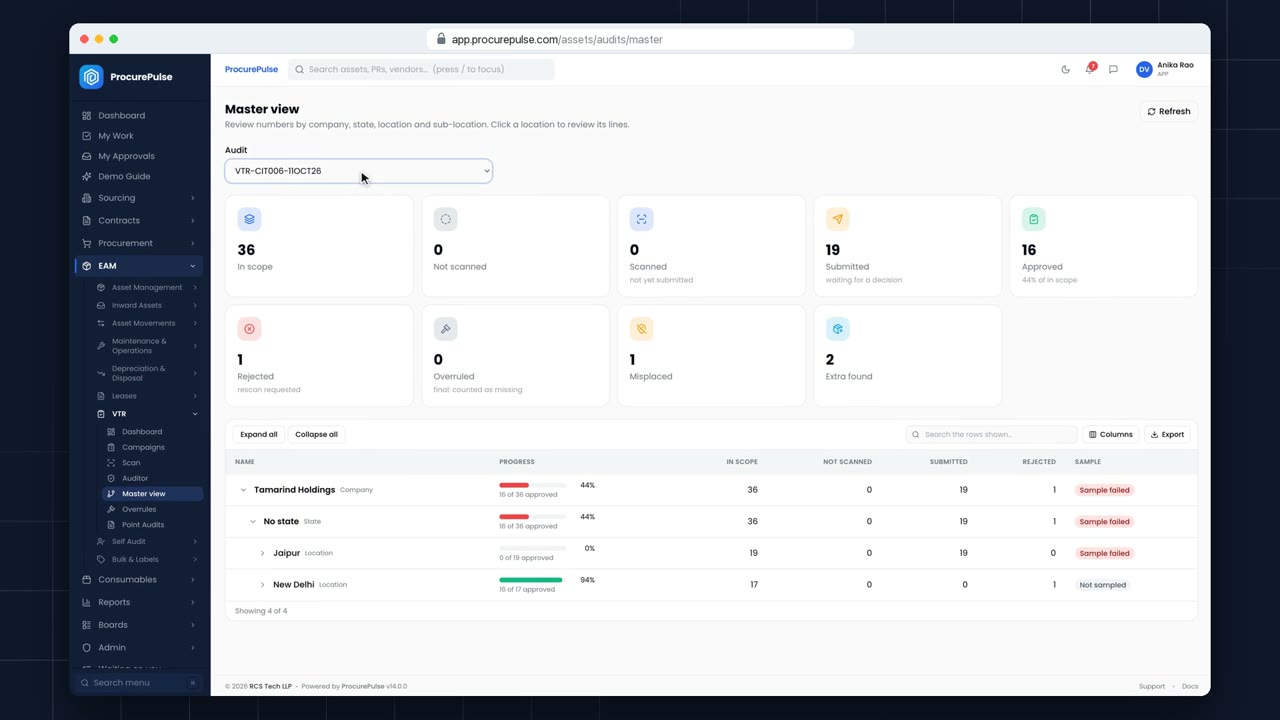 2:06
2:06 VTR
See every location rolled up by company, state and location, overrule an approved line with a reason, and have the overrule checker approve it.
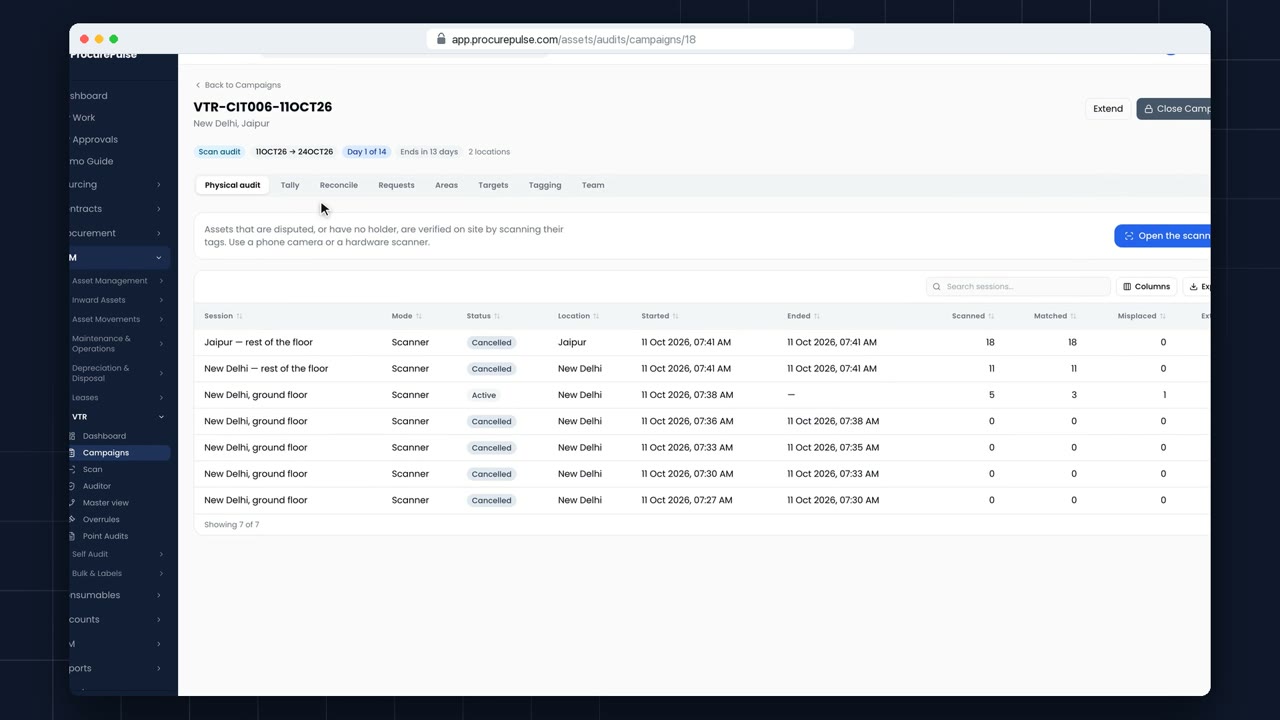 2:02
2:02 VTR
See what is scanned, approved, missed, misplaced or extra, and follow the audit on the VTR dashboard.
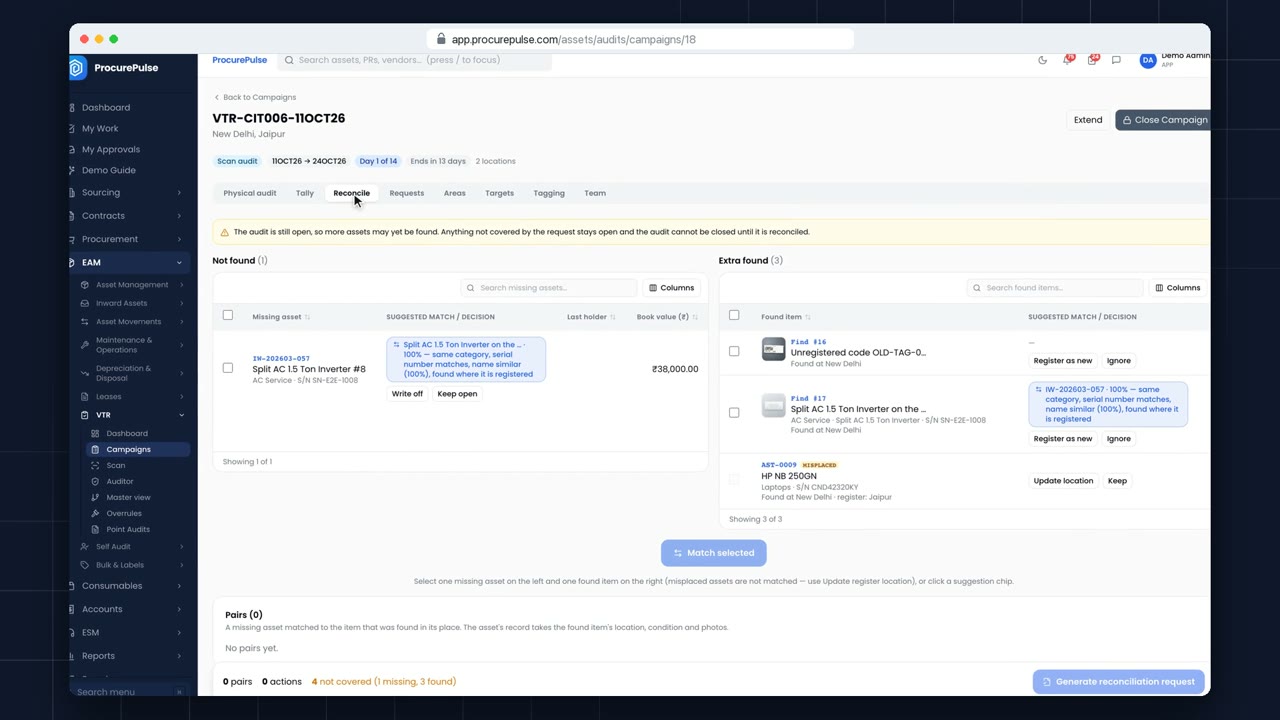 2:00
2:00 VTR
Match approved missing assets against extra finds side by side, keep or ignore the rest, and send a reconciliation request for approval.
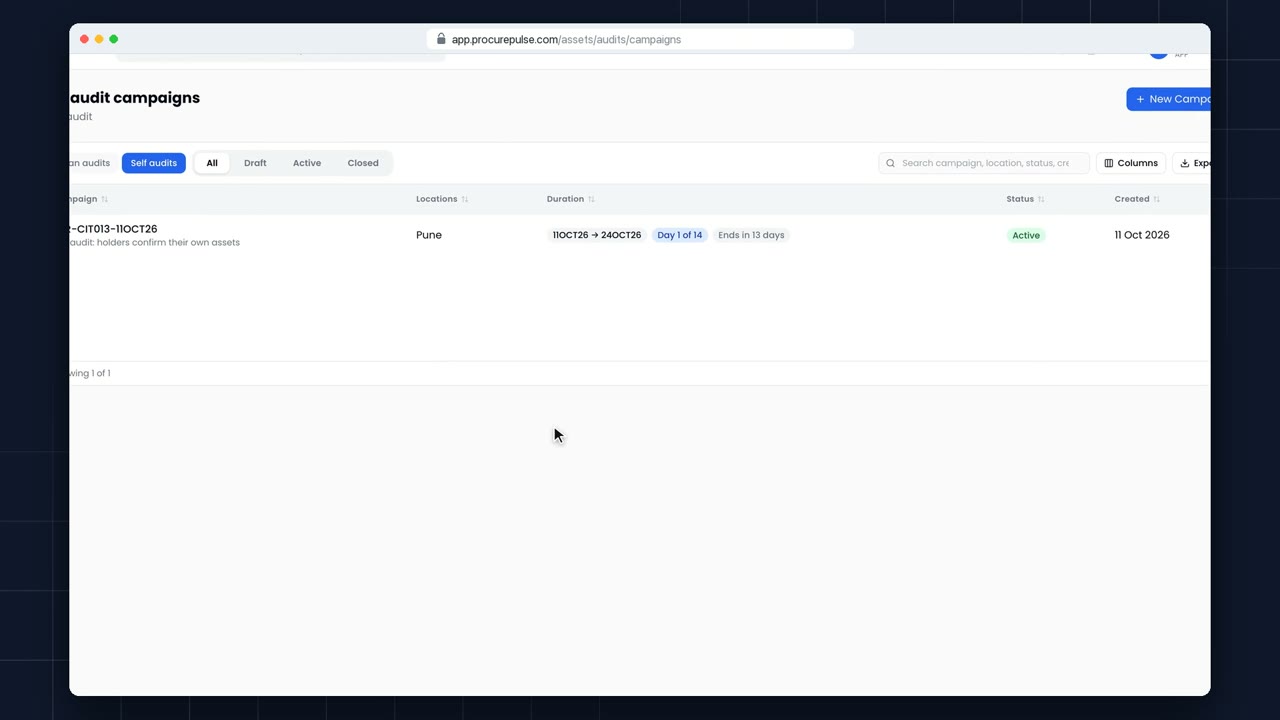 1:23
1:23 VTR
An optional self audit, separate from the scan audit: holders accept the assets on their name or say which ones are not with them.
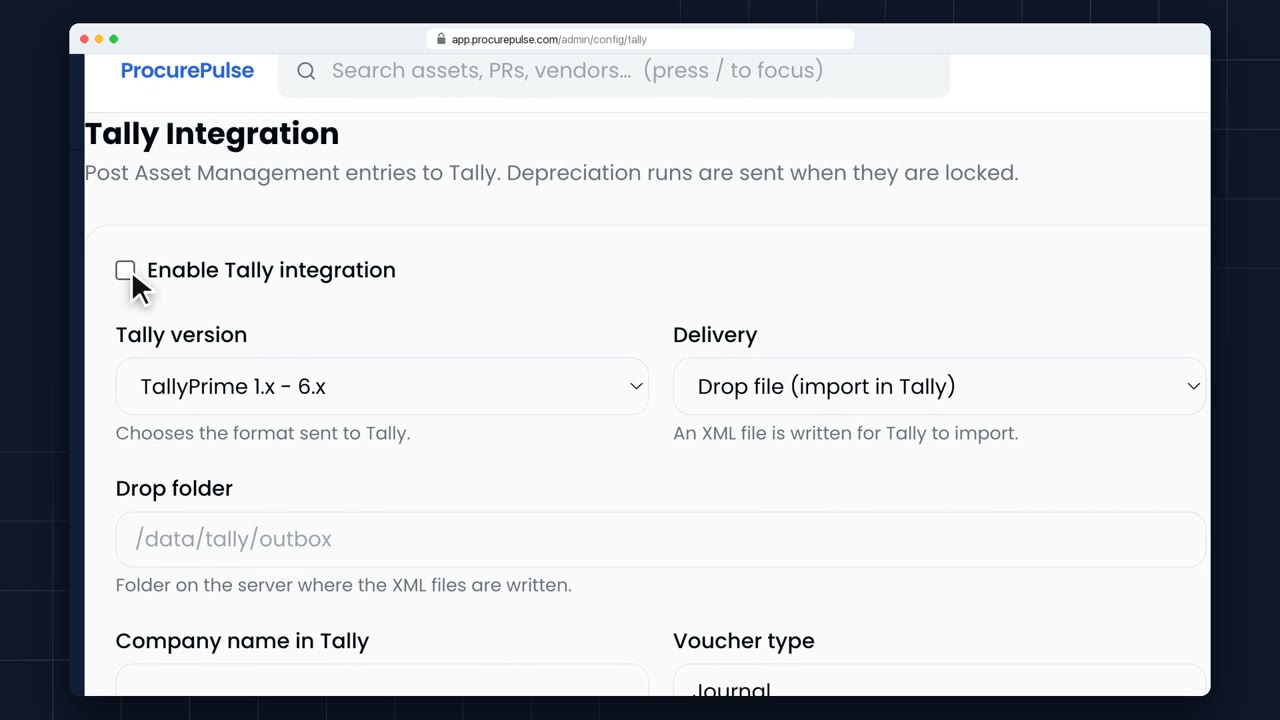 2:50
2:50 Integrations
Send depreciation to Tally as journal vouchers, and bring purchases booked in Tally in as assets. Choose your Tally version and test the connection.
 1:09
1:09 Accounts & budgets
A budget is a limit on what a cost centre can spend. Open Budgets, and click New Budget.
 0:49
0:49 Accounts & budgets
Open a budget. Allocated is the limit. Reserved is what approved requests have set aside. Committed is what purchase orders have promised. And actual is what approved invoices have booked. Available is what's left.
 0:51
0:51 Accounts & budgets
Open Vendor Statements and pick a vendor. At the top: what you owed at the start of the year, what's been invoiced, paid, and noted, and what you owe now.
 0:43
0:43 Accounts & budgets
Auditors want proof that your vendor balances are right. Start from the vendor's statement.
 0:46
0:46 Accounts & budgets
Instead of paying invoices one by one, batch them. Open Payment Runs, and click New Run.
 0:46
0:46 Consumables
Toner, cables, stationery: things you count, not tag. Add them under Consumables, New.
 0:51
0:51 Consumables
Each consumable shows its stock on hand, its minimum level, and every movement.
 0:47
0:47 Consumables
Consumables going out to another office, or coming in from a vendor, move on a gatepass.
 1:19
1:19 Admin
Access is set under Admin, Users and Roles. Start with Roles.
No videos match your search
Try a shorter word, such as "PO", "asset" or "invoice", or .
More how-to videos are on the way: auctions, RFQs, purchase orders, goods receipt and invoices.
We'll set up a 30-minute demo with your items, vendors and approvers, not a slide deck.